
With PaidSync, Claude and ChatGPT build and run your LinkedIn campaigns, not just report on them, which is why PaidSync is our pick for most teams: it creates campaign groups, campaigns and Sponsored Content ads as drafts, it changes budgets, bids, run dates, targeting, ad text and status, and it connects from Claude's connector directory or installs from ChatGPT's Plugins directory with no API key and no LinkedIn developer app. PaidSync is free for 15 tasks a month with no credit card, then priced by usage, from $99 a month for 600 tasks.
LinkedIn itself has not published an MCP server for LinkedIn Ads, as of 27 September 2026. Its Marketing API documentation and API change log list none, and Claude's connector directory has no connector made by LinkedIn. The closest official option is LinkedIn's own LinkedIn Ads app in ChatGPT, a beta that gives read-only access to ad set and ad performance.
So every LinkedIn Ads MCP server is third party, and the others fit narrower jobs. If you need the lead form responses themselves, Markifact, AdPlug and Ryze AI say they pull them into the chat, where PaidSync does not read the leads inside lead gen forms. Developers can host the open-source linkedin-ads-mcp with their own LinkedIn developer app. Other hosted connectors either only read, such as Adzviser and Whatagraph, or can also change campaigns, such as Windsor.ai, Supermetrics, Markifact, Adspirer, AdPlug, AdKit and Ryze AI. Disclosure: PaidSync publishes this page.
Which option should you pick
Our pick for most teams is PaidSync. With PaidSync, Claude and ChatGPT build and run your LinkedIn campaigns, not just report on them. It has 17 LinkedIn write tools: it creates campaign groups, campaigns and Sponsored Content ads as drafts, conversion rules and lead gen forms, and changes budgets, bids, run dates, targeting, ad text and status. By default, new campaigns and ads start paused or as drafts, and budget edits run as a preview first. Live pauses and enables need an explicit confirmation flag. The same login covers Google Ads, Meta and 11 more platforms. PaidSync is free for 15 tasks a month with no credit card, then priced by usage, from $99 a month for 600 tasks.
What to know. PaidSync does not read the leads inside lead gen forms, and it has no LinkedIn delete tool, so you pause a campaign to stop its spend. Its free plan stops at 15 tasks a month.
Pick something else if one of these narrower cases fits you. PaidSync publishes this page, and every rival claim links to that vendor's own page, checked 27 September 2026.
- You need the lead form responses themselves. Markifact, AdPlug and Ryze AI say they pull LinkedIn lead form responses into the chat. PaidSync reports lead counts and cost per lead.
- You mainly want reports. Adzviser and Whatagraph are read-only. Windsor.ai and Supermetrics are data connectors that can also change budgets and pause, and Windsor.ai says its write actions do not yet create campaigns.
- You want to host your own server. Start from linkedin-ads-mcp (MIT license) with your own LinkedIn developer app. Until LinkedIn moves that app to its Standard tier, it can edit only five ad accounts.
- You want LinkedIn's own tool and only need to read results. Use the LinkedIn Ads app in ChatGPT. It is a beta and is not in Claude's directory.
Is there an official LinkedIn Ads MCP server? (checked September 2026)
No. As of September 2026, LinkedIn's developer docs do not list one. The LinkedIn Marketing API documentation covers REST endpoints for Campaign Manager and nothing under the Model Context Protocol. Google, Meta, TikTok, and Microsoft each publish a first-party server for their ad platform. LinkedIn does not. Every LinkedIn Ads MCP you can use today is third party, built on the Marketing API through the vendor's own approved developer application.
Two things follow. A first-party server, if one ships, will most likely cover LinkedIn only, the way Google's official Google Ads server and Microsoft's Advertising server each cover one platform. And the write surface, the approval gating, and the cross-platform session stay the vendor's job. The table uses the same rows as our Google and Meta pages so the gap is easy to read.
| Dimension | LinkedIn, first party | PaidSync |
|---|---|---|
| Who hosts it | Nobody yet. The developer docs list REST endpoints only, checked September 2026 | Hosted at mcp.paidsync.ai, connect and go |
| Read or write | Not defined. The Marketing API itself is read and write | Read and write. 34 LinkedIn tools, 15 reads, 17 writes, 3 of them create campaigns |
| Which clients | None, there is no server to add | Claude, Claude Code, ChatGPT, Gemini CLI, Copilot Studio, Perplexity, Cursor |
| Platforms covered | LinkedIn only, if one ships | 14 platforms in one session, LinkedIn alongside Google, Meta, TikTok, Microsoft, GA4, GTM, and more |
| Approval gating | Not defined | Dry-run previews on most writes, confirm_destructive on destructive operations, approval cards in the PaidSync workspace |
| What PaidSync adds | A wrapper LinkedIn has not built | One endpoint, 630+ tools, cross-platform questions in one prompt, LinkedIn campaigns built and run from the chat |
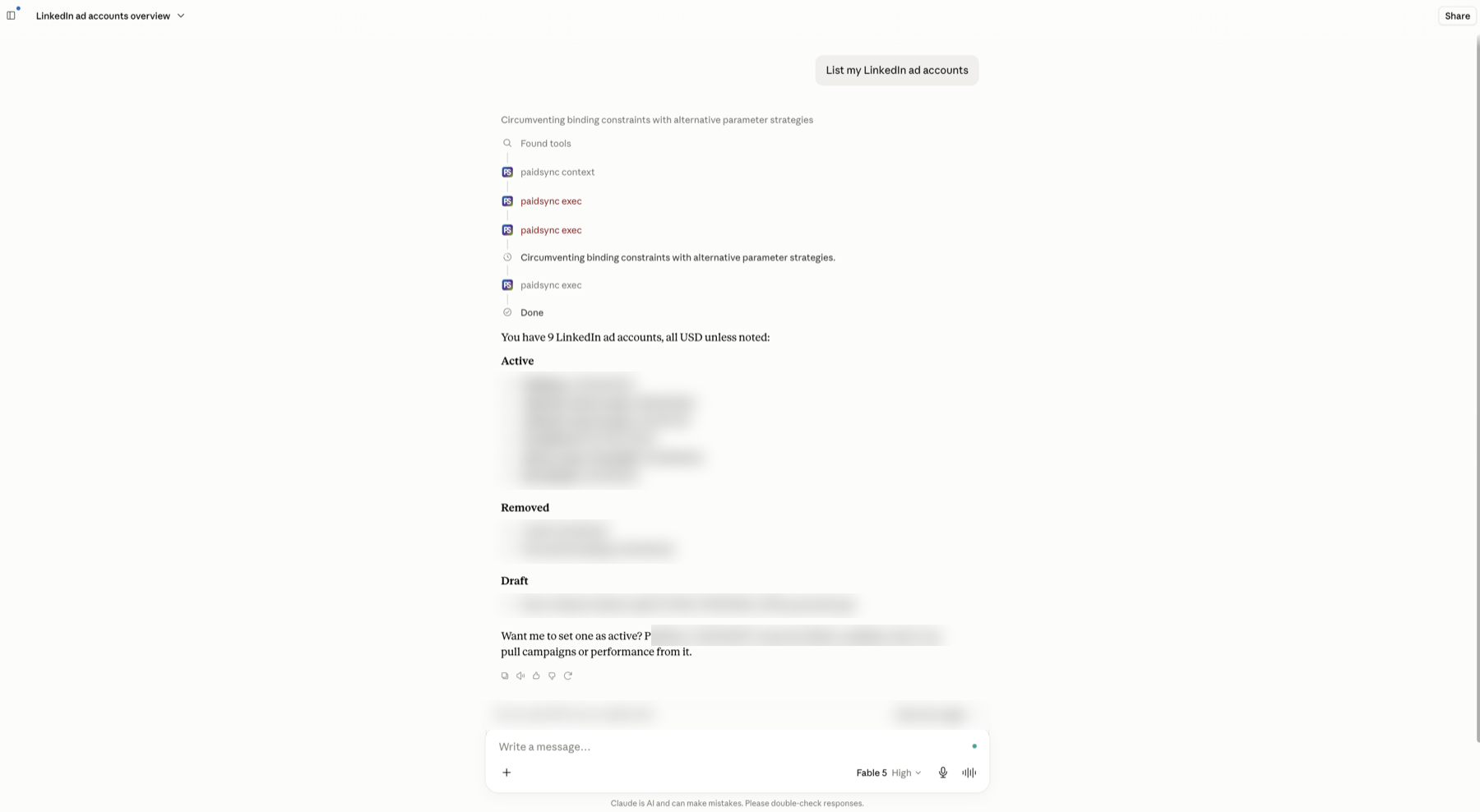
An MCP server turns an ad platform's API into typed tools an AI assistant can call. Connect one to Claude or ChatGPT and "pause every LinkedIn campaign with a cost per lead above $120" becomes a command the assistant can check, preview and, with your approval if you have set one, execute. This page covers PaidSync's LinkedIn surface in full: what the 34 tools do, how writes are checked, what the server deliberately does not cover, and how it compares against two other LinkedIn Ads MCP options, AdKit and Adzviser.
The page is written for both audiences. Marketers who want to manage LinkedIn campaigns from a chat window, and agent builders who want to know exactly what the protocol surface looks like before wiring it into a workflow. Each section is labeled so you can skip to what matters.
What a LinkedIn Ads MCP server does
Three things in practice. It reads, so the assistant can pull impressions, clicks, leads, and cost per result without you exporting from Campaign Manager. It writes, so campaigns, campaign groups, ads, creatives, targeting, and conversions can be created or changed through conversation. And it gates, so most writes preview as a dry run first and destructive changes need an explicit confirm. The reading part is available on several LinkedIn MCP options. The depth of the write surface and the honesty of the gating are where they differ.
All 34 LinkedIn tools by category
PaidSync's live server exposes 34 LinkedIn tools (server total 630+ across 14 platforms). All 34 are named in the table below; the live count is also fully discoverable from any session via paidsync_context with include_tools:['linkedin_ads'].
| Category | Named tools |
|---|---|
| Account and identity | connect_linkedin_ads, linkedin_auth_status, list_linkedin_ad_accounts, set_linkedin_ad_account |
| Campaign groups | list_linkedin_campaign_groups, create_linkedin_campaign_group, update_linkedin_campaign_group |
| Campaigns | list_linkedin_campaigns, create_linkedin_campaign, update_linkedin_campaign, pause_linkedin_campaign, enable_linkedin_campaign |
| Ads and creatives | create_linkedin_ad, update_linkedin_ad, list_linkedin_creatives, create_linkedin_creative, update_linkedin_creative, list_linkedin_creatives_with_media, get_linkedin_ad |
| Creative media | upload_linkedin_image, upload_linkedin_video, create_linkedin_image_upload_url |
| Lead gen forms | list_linkedin_lead_forms, create_linkedin_lead_form |
| Audience and targeting | get_linkedin_campaign_targeting, update_linkedin_campaign_targeting, search_linkedin_targeting_entities, get_linkedin_audience_size, get_linkedin_campaign_forecast |
| Conversions | list_linkedin_conversions, create_linkedin_conversion, add_linkedin_campaign_conversions |
| Performance reporting | get_linkedin_performance, get_linkedin_performance_by_dimension |
Three of these carry the most operational weight. create_linkedin_campaign builds a full campaign against an existing campaign group, with objective, bidding type, daily or lifetime budget, targeting facets, and status set in one call. update_linkedin_campaign_targeting patches the targeting spec on a live campaign, job functions, seniorities, industries, company sizes, and member skills, without rebuilding the campaign. And get_linkedin_performance_by_dimension breaks performance down by campaign, creative, company, job title, industry, seniority, country or region, so cross-cuts that take clicks in Campaign Manager take one prompt here.
For marketersRun LinkedIn Ads from a chat window
A practical week looks like this. On Monday you ask what changed in the last 7 days across LinkedIn campaigns. The assistant pulls spend, leads, and cost per lead from get_linkedin_performance and gives you a plain-number answer. You spot an ad group targeting too broadly, ask for the targeting breakdown, review it, and ask the assistant to tighten seniority to Director and above. It proposes the update_linkedin_campaign_targeting call with the exact change shown as a dry-run preview, then applies it when you tell it to go ahead.
Because the same server carries Google Ads (152 tools), Meta Ads (83 tools), GA4 (26 tools), and GTM (39 tools), the follow-up question "did the new LinkedIn creative produce GA4 conversions at a lower CPA" is answered in the same session, not in a separate tab. For teams running cross-channel demand generation, that session continuity is the practical difference between a LinkedIn connector and a paid-media server.
Write access brings an honest concern about safety on live ad accounts. The answer is procedural. Most LinkedIn write tools default to dry_run, which returns the planned payload without executing it, and image and video uploads apply on the first call. Live pauses and enables need an explicit confirmation flag. Over MCP, PaidSync writes no approval card, and your assistant's own per-tool approval setting is a second check you control. Sessions can be revoked at any time from the PaidSync connect panel. Read operations never require confirmation because they change nothing.
Connect LinkedIn Ads in Claude or ChatGPT and run the first report in minutes.
Start free, 15 tasks, no card See all plansThe protocol surface behind the 34 tools
PaidSync is one MCP endpoint covering 14 platforms; architecture detail is on the MCP server page. To keep client context small, tools/list returns a lean starter set. The full catalog is discovered at runtime through paidsync_context, which returns the active account, connected platforms, and the grouped tool catalog. Pass include_tools:['linkedin_ads'] to get the exact LinkedIn tool names, signatures, and approval-gate defaults. Then execute any tool through paidsync_exec via await paidsync.call('tool_name', {...args}). That two-call pattern means an agent can enumerate and invoke all 34 LinkedIn tools without a 630+ tool schema payload in every conversation turn.
The server-side checks run whatever the client. Most mutation tools default to dry_run for a no-op preview of the planned change, destructive operations need confirm_destructive, and sessions can be revoked without touching the OAuth client. For discovery and verification, the domain publishes OAuth authorization-server and protected-resource metadata (RFC 8414 and RFC 9728), an MCP server card, agent-auth.json, security.txt, and a Content-Signal directive, so an agent can establish what this server is and how to authenticate before its first task.
LinkedIn's Marketing API enforces rate limits. High-volume reporting loops will hit them, so design polling loops with a back-off and prefer dimensional breakdowns over per-campaign loops.
PaidSync vs AdKit vs Adzviser
Several LinkedIn Ads MCP options exist in September 2026, including AdKit, Adzviser, Ryze AI, Adspirer and Pipeboard, which lists LinkedIn as a preview platform. The comparison below covers AdKit and Adzviser, using each vendor's own site as checked on September 23, 2026.
| Dimension | PaidSync | AdKit | Adzviser |
|---|---|---|---|
| LinkedIn tools | 34 | Not published | Reporting connector |
| Write access | Full (create, update, pause, enable) | Yes, every change a draft you approve | Read-only |
| Preview and confirm on writes | Yes, dry_run on most writes, confirm_destructive on destructive calls | Yes, draft first, approve to publish | Not applicable |
| Platform scope | 14 platforms (Google, Meta, LinkedIn, TikTok, Snapchat, Reddit, Pinterest, Microsoft, X, ChatGPT Ads, GA4, GTM, GSC, GMC) | Meta, Google, TikTok, LinkedIn, Microsoft, Reddit, X | 40+ reporting sources, read-only |
| Builds and runs LinkedIn campaigns | Yes, creates campaign groups, campaigns and Sponsored Content ads, uploads images and videos, and changes budgets, bids, run dates, targeting and status | Yes, Sponsored Content campaigns, as drafts you approve | No, read-only |
| Cross-platform session (LinkedIn + GA4) | Yes, same session | No | Yes, reporting only |
| Conversion tracking creation | Yes, create_linkedin_conversion | Not listed | No |
| Price | Free for 15 tasks a month with no credit card, then priced by usage, from $99 a month for 600 tasks. | $29/mo one brand, $49/mo unlimited; 7-day free trial | From $59.99/mo, or $48.99/mo billed yearly |
Quick verdict.
Most teams that want Claude or ChatGPT to build and run LinkedIn campaigns: PaidSync, our pick. It creates campaign groups, campaigns and Sponsored Content ads as drafts, changes budgets, bids, run dates, targeting, ad text and status, creates conversion rules from chat, and covers GA4, GTM and Merchant Center in the same session. PaidSync is free for 15 tasks a month with no credit card, then priced by usage, from $99 a month for 600 tasks.
The lowest paid monthly price for LinkedIn campaign management decides it: AdKit at $29 a month is the budget pick. It covers LinkedIn alongside Meta, Google, TikTok, Microsoft, Reddit and X, and every change waits as a draft for your approval.
You need LinkedIn reporting only and run it alongside 40-plus other data sources: Adzviser covers that reporting use case well, read-only from $59.99 a month, or $48.99 a month billed yearly.
Connect LinkedIn Campaign Manager to your AI client
The endpoint is the same in every client, https://mcp.paidsync.ai/mcp. Sign-in is OAuth 2.0 with your PaidSync login. Once the client is connected, run connect_linkedin_ads to authorize your Campaign Manager account, then set_linkedin_ad_account to pick the account the session works on. The steps below are checked against each vendor's own docs.
Claude
In claude.ai or the Claude Desktop app, open Customize, then Connectors, click +, search PaidSync, click Connect, and sign in with your PaidSync login. Connectors work on every Claude plan, including Free, which allows one custom connector. Full walkthrough at connect LinkedIn Ads to Claude.
Claude Code
Run claude mcp add --transport http paidsync https://mcp.paidsync.ai/mcp. Start a session, type /mcp, pick paidsync, and sign in with your PaidSync login in the browser window that opens. For a team, commit a .mcp.json at the repo root with the same http server entry. Full guide: LinkedIn Ads in Claude Code.
ChatGPT
In ChatGPT, open Plugins, search PaidSync, click Install plugin, and sign in with your PaidSync login. If your workspace does not show the directory, open Settings, then Security and login, and turn on Developer mode, then in Plugins click the plus button, add https://mcp.paidsync.ai/mcp as a remote MCP server and choose OAuth. OpenAI says Developer mode is available to Pro, Plus, Business, Enterprise, and Education accounts on the web. Full walkthrough at connect LinkedIn Ads to ChatGPT.
Gemini CLI
Run gemini mcp add --transport http paidsync https://mcp.paidsync.ai/mcp, then /mcp auth paidsync and sign in with your PaidSync login. Gemini Code Assist and Antigravity read an httpUrl entry in ~/.gemini/settings.json. Full walkthrough at connect LinkedIn Ads to Gemini.
Copilot Studio
Open your agent, then Tools, Add a tool, New tool, Model Context Protocol. Paste the server URL, choose OAuth 2.0 with Dynamic discovery, transport Streamable HTTP. Click Create, then Add to agent, test, then publish to the Microsoft 365 Copilot channel. Full walkthrough at connect LinkedIn Ads to Microsoft Copilot Studio.
Perplexity
Open your profile menu, then All settings, then Connectors, then Custom connector. Name it PaidSync, paste the server URL, choose OAuth and Streamable HTTP, save, and sign in with your PaidSync login when prompted.
Cursor
Add {"mcpServers":{"paidsync":{"url":"https://mcp.paidsync.ai/mcp"}}} to .cursor/mcp.json in your project, or ~/.cursor/mcp.json for every project. Open Cursor Settings, then MCP, and sign in with your PaidSync login when Cursor prompts for OAuth.
A client that lets you set a header, such as Claude Code, can use an API key instead, sent as Authorization: Bearer ps_... or x-api-key. Never put the key in a URL; query strings end up in logs. Applying a change to Google Ads still requires the OAuth sign-in. On LinkedIn and the other platforms a key can apply changes too, so treat it like a password and prefer OAuth.
What this does not do
Stated plainly, because accurate scoping is more useful than overselling.
- Predictive Audiences beta is not exposed. LinkedIn's Predictive Audiences feature is not in the tool set. Targeting facets are supported through
update_linkedin_campaign_targeting. - Document Ads and certain vertical-specific formats are not documented. If Document Ads are central to your LinkedIn strategy, verify support with the PaidSync team before committing.
- No campaign deletion. PaidSync has no LinkedIn delete tool; pause a campaign to stop its spend.
- One object per task. Creating or updating 15 campaigns is 15 tasks or a structured loop in your agent. There is no single-call bulk mutator.
- No organic page posting or LinkedIn Pages management. PaidSync is paid media only.
- Rate limits apply. LinkedIn's Marketing API enforces rate limits, so high-volume automation loops should build in back-off logic.
Pricing
PaidSync is free for 15 tasks a month on all 14 platforms, with no credit card and no time limit. After that you pay for usage, the tasks your AI runs, not seats or a share of ad spend: Pro is $99 a month for 600 tasks, $149 for 1,200 and $199 for 4,000, or $999 billed yearly for 600, and you can add tasks if you run out. Team starts at $249 a month for 5 seats sharing 6,000 tasks. There is no per-account or per-platform charge. A task is one request from your AI assistant to PaidSync, such as reading a report or pausing an ad. Reads and writes count the same, and connecting an account or picking one uses no tasks. Full detail at paidsync.ai/pricing.
| Plan | Price | Included |
|---|---|---|
| Free | $0/mo | 15 tasks a month, no credit card, no time limit |
| Pro | From $99/mo | Priced by usage: 600 tasks ($99), 1,200 tasks ($149) or 4,000 tasks ($199), or $999 billed yearly for 600; add tasks if you run out |
| Team | From $249/mo | 5 seats, 6,000 shared tasks per month |
| Done For You | Custom | Fully managed paid media |
Connect LinkedIn Ads to your AI
One setup per client, same endpoint and sign-in everywhere.
- LinkedIn Ads to Claude
- LinkedIn Ads to Claude Code
- LinkedIn Ads to ChatGPT
- LinkedIn Ads to Gemini
- LinkedIn Ads to Microsoft Copilot Studio
- LinkedIn Ads to Perplexity
- LinkedIn Ads to Cursor
- LinkedIn Ads to Codex
Frequently asked questions
What is a LinkedIn Ads MCP?
An MCP (Model Context Protocol) server exposes an ad platform's API as typed tools that AI assistants like Claude and ChatGPT can call. A LinkedIn Ads MCP lets the assistant read campaign performance, create or edit campaigns, update targeting, and manage conversions through conversation instead of clicking through the LinkedIn Campaign Manager interface. PaidSync's LinkedIn surface covers 34 tools with full write access; Adzviser's LinkedIn connector is read-only, and AdKit's turns every change into a draft you approve before it goes live.
Is there an official LinkedIn Ads MCP server? (checked September 2026)
No (checked 29 Sep 2026). LinkedIn's developer docs at learn.microsoft.com/en-us/linkedin/marketing list REST endpoints for the Marketing API and no Model Context Protocol server. Google, Meta, TikTok, and Microsoft each publish a first-party server for their ad platform; LinkedIn does not. Every LinkedIn Ads MCP available today is third party. PaidSync covers LinkedIn with 34 tools, read and write, most writes previewed as a dry run first, inside one endpoint that also covers 13 other platforms.
How do I run LinkedIn Ads from Claude or ChatGPT?
Connect PaidSync once at paidsync.ai/signup, then add the MCP endpoint https://mcp.paidsync.ai/mcp to your AI client's MCP configuration. Authorize your LinkedIn Ads account from the connect flow, then ask questions or give commands directly in the chat. Most LinkedIn writes preview as a dry run first, live pauses and enables need an explicit confirmation flag, and your assistant's own per-tool approval setting is a second check you control. Full setup guides for Claude and ChatGPT are available.
What LinkedIn Ads actions can PaidSync perform?
Full campaign lifecycle: create, update, pause, and enable campaign groups and campaigns. Ad and creative management: create_linkedin_ad, create_linkedin_creative, update_linkedin_creative, list_linkedin_creatives_with_media. Audience and targeting: get_linkedin_campaign_targeting, update_linkedin_campaign_targeting. Conversion tracking: list_linkedin_conversions, create_linkedin_conversion. Performance reporting: get_linkedin_performance and get_linkedin_performance_by_dimension for breakdowns by campaign, creative, company, job title, industry, seniority, country and region. The live catalog is discoverable via paidsync_context with include_tools:['linkedin_ads'].
Is PaidSync's LinkedIn Ads MCP write-capable or read-only?
Full write access. PaidSync can create campaigns, campaign groups, ads, creatives, and conversions, and update targeting, budgets, and status. Most writes preview as a dry run first, live pauses and enables need an explicit confirmation flag (confirm_destructive), and your assistant's own per-tool approval setting is a second check you control. Adzviser's LinkedIn connector is read-only. AdKit's LinkedIn MCP can build and change campaigns, and every change lands as a draft you approve in AdKit before LinkedIn sees it.
How does PaidSync's LinkedIn Ads MCP compare to AdKit and Adzviser?
PaidSync is our pick for most teams. It has 34 LinkedIn-specific tools, so Claude and ChatGPT build and run LinkedIn campaigns, not just report on them, with a dry-run preview on most writes, inside a 630+ tool server covering 14 platforms, including GA4, GTM and Merchant Center in the same session. PaidSync is free for 15 tasks a month with no credit card, then priced by usage, from $99 a month for 600 tasks. AdKit's ads MCP covers LinkedIn alongside Meta, Google, TikTok, Microsoft, Reddit and X at $29 a month for one brand or $49 for unlimited brands, and every change is a draft you approve first. Adzviser's LinkedIn connector is read-only at $59.99 to $164.99 a month, or $48.99 to $148.99 a month billed yearly, strong for reporting but cannot create or change anything. If the lowest paid monthly price for LinkedIn campaign management decides it, AdKit at $29 a month is the budget pick.
What does PaidSync's LinkedIn Ads MCP cost?
PaidSync is free for 15 tasks a month on all 14 platforms, with no credit card and no time limit. After that you pay for usage, the tasks your AI runs, not seats or a share of ad spend: Pro is $99 a month for 600 tasks, $149 for 1,200 and $199 for 4,000, or $999 billed yearly for 600, and you can add tasks if you run out. Team starts at $249 a month for 5 seats sharing 6,000 tasks. Done For You is custom-priced fully managed paid media. There is no per-account or per-platform charge. A task is one request from your AI assistant to PaidSync, such as reading a report or pausing an ad. Reads and writes count the same, and connecting an account or picking one uses no tasks.
Put 34 LinkedIn tools, and the other 13 platforms, in front of your AI assistant today.