 5 min read
For running Meta Ads, Google Ads, LinkedIn Ads, TikTok Ads, GA4 and Google Tag Manager from Claude or ChatGPT, pick PaidSync. One connection covers 14 platforms and 620+ tools, including 83 Meta Ads tools and 152 Google Ads tools. It creates campaigns on Meta Ads, Google Ads, LinkedIn Ads and ChatGPT Ads, configures GA4 and edits Tag Manager in the same chat, and runs every Google Ads create as a dry run by default. On Done For You, the PaidSync team runs your ad accounts for you. Meta's AI Ads Connector is Meta's own connector for managing Meta ads from an AI agent.
PaidSync publishes this page and its founder wrote it. Meta facts come from Meta's developer documentation, read on 30 September 2026, with the page linked. PaidSync facts come from PaidSync's production code or from paidsync.ai.
Meta AI Ads Connector vs PaidSync for cross-channel ads
Checked 30 Sep 2026. Meta column from Meta's ads MCP server documentation.
| What you are choosing on | PaidSync | Meta AI Ads Connector |
|---|---|---|
| Platforms in one connection | 14 platforms. Ten ad platforms (Google, Meta, LinkedIn, ChatGPT, Microsoft, TikTok, Snapchat, Reddit, Pinterest and X Ads) plus GA4, Google Tag Manager, Search Console and Merchant Center. | Meta ads. |
| Google Ads | 152 tools. Creates Search, Performance Max, Display, Shopping and Demand Gen campaigns. | Not covered. |
| LinkedIn Ads and TikTok Ads | 34 LinkedIn Ads tools that create campaigns. Manages existing TikTok Ads campaigns. | Not covered. |
| GA4 and Tag Manager | GA4 read and configure (conversion events, audiences, custom dimensions). Tag Manager read and write (tags, triggers, variables, workspaces, versions). | Not covered. |
Meta's documentation describes a server for managing Meta ads and lists no Google Ads, LinkedIn Ads, TikTok Ads, GA4 or Tag Manager tools.
Why teams pick PaidSync for Meta, Google and LinkedIn Ads
- Meta, Google and LinkedIn in one connection. 83 Meta Ads tools sit beside 152 Google Ads tools and 34 LinkedIn Ads tools, and all three create campaigns from Claude or ChatGPT. The same connection creates ChatGPT Ads campaigns and manages existing campaigns on TikTok, Microsoft, Snapchat, Reddit, Pinterest and X Ads, 14 platforms in all.
- Deep on Google Ads. PaidSync creates Search, Performance Max, Display, Shopping and Demand Gen campaigns, and every Google Ads create runs as a dry run by default.
- Tracking you can change, not just read. PaidSync configures GA4 (conversion events, audiences, custom dimensions), edits Google Tag Manager and configures Merchant Center in the same conversation as your ads.
- Safe by default. Google Ads creates and most other creates preview as a dry run, live calls to the pause, removal and budget tools need an explicit confirm, and in the PaidSync workspace every change is an approval card by default, with a one-tap undo whenever the change can be reversed. Applied changes are logged, on a best-effort basis, with a 7-day before-and-after outcome.
- Ready-made workflows and your own agent. Five ready-made Google Ads workflows run from your assistant, and an agent you build yourself calls the same 620+ tools. See how to build your own AI ads agent.
- Done For You that runs the accounts. PaidSync's Done For You team runs your ad accounts and manages your automations.
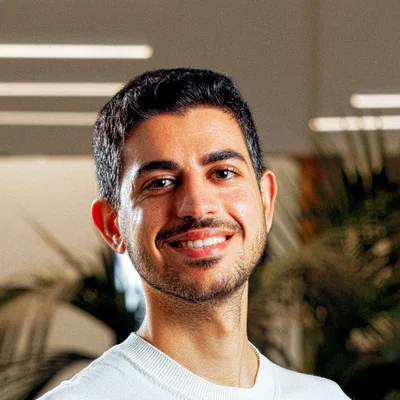
- Built by a practitioner. Founder Ahmed Ashraf is a Google Premier Partner (top 3% globally) who has managed $500M+ in ad spend, and PaidSync holds verified Marketing Partner status with Google, Meta, and TikTok.
Run Meta Ads, Google Ads and LinkedIn Ads from Claude or ChatGPT. Free for 15 tasks.
Get Started Free Book a DemoHow PaidSync keeps a person in control
PaidSync works in two places. In the PaidSync workspace, by default, every change an agent wants to make is written as an approval card, and a person taps Approve before it runs. An applied card offers a one-tap undo whenever the change can be reversed, and a card that cannot be undone says so before you approve it. When your own assistant calls PaidSync over MCP, whether a person confirms before a change runs is set in your assistant. On every path, Google Ads creates and most other creates default to dry_run, which shows what would be created and touches nothing, and a live call to a pause, removal or budget tool on the ad platforms, GA4 or Tag Manager is refused unless it carries confirm_destructive. The full model is on the security page.
PaidSync pricing
PaidSync is free for 15 tasks with no credit card. Pro starts at $99 a month for one seat and 600 tasks. Team starts at $249 a month for 5 seats sharing 6,000 tasks, and goes up to 50 seats and 60,000 tasks. Done For You is custom. A task is one thing your AI does through PaidSync, such as pulling a report or pausing an ad. Details are on the pricing page.
How to connect Meta Ads, Google Ads and LinkedIn Ads to Claude or ChatGPT
With PaidSync the setup is the same for all three platforms.
- Sign up free at paidsync.ai/signup. No credit card needed.
- Add PaidSync to your assistant. In Claude, find PaidSync in the connector directory. In ChatGPT, add the PaidSync app. Any other MCP client takes the endpoint
https://mcp.paidsync.ai/mcp. - Sign in with OAuth, then connect Meta Ads, Google Ads and LinkedIn Ads with each platform's own sign-in.
- Ask in plain English, for example "audit my Meta Ads account" or "pause anything with ROAS below 2x".
Step-by-step guides: Meta Ads to Claude, Meta Ads to ChatGPT, Google Ads to Claude, Google Ads to ChatGPT, LinkedIn Ads to Claude and LinkedIn Ads to ChatGPT.
Frequently asked questions
Meta AI Ads Connector vs PaidSync, which should I use?
For running Meta Ads, Google Ads, LinkedIn Ads, TikTok Ads, GA4 and Google Tag Manager from Claude or ChatGPT, use PaidSync. One connection covers 14 platforms and 620+ tools, including 83 Meta Ads tools and 152 Google Ads tools. It creates campaigns on Meta Ads, Google Ads, LinkedIn Ads and ChatGPT Ads, configures GA4 and edits Tag Manager in the same chat, and runs every Google Ads create as a dry run by default. Meta's AI Ads Connector is Meta's own connector for managing Meta ads from an AI agent.
Is PaidSync a good Meta AI Ads Connector alternative?
Yes. PaidSync runs Meta Ads with 83 tools, and the same connection covers 14 platforms, ten ad platforms plus GA4, Google Tag Manager, Search Console and Merchant Center, through one endpoint, https://mcp.paidsync.ai/mcp. It has setup guides for Claude, ChatGPT, Gemini, Microsoft Copilot and Perplexity, and its Done For You team can also run your ad accounts for you.
Can PaidSync create Meta Ads campaigns from Claude or ChatGPT?
Yes. PaidSync has 83 Meta Ads tools and creates campaigns on Meta Ads, Google Ads, LinkedIn Ads and ChatGPT Ads from Claude or ChatGPT. Every Google Ads create and most other creates run as a dry run by default, which shows what would be created and touches nothing, and live calls to the pause, removal and budget tools on the ad platforms need an explicit confirm.
Can PaidSync change GA4 and Tag Manager as well as read them?
Yes. PaidSync configures GA4 conversion events, audiences and custom dimensions, and edits Google Tag Manager tags, triggers, variables, workspaces and versions, in the same conversation as your Meta, Google and LinkedIn Ads.
Does PaidSync ask before it changes my ads?
In the PaidSync workspace every change is an approval card by default, with a one-tap undo whenever the change can be reversed. When your own assistant calls PaidSync over MCP, your assistant's confirmation setting is the check, Google Ads creates and most other creates run as a dry run by default, and live calls to the pause, removal and budget tools on the ad platforms, GA4 and Tag Manager need an explicit confirm.
How do I connect Meta Ads, Google Ads and LinkedIn Ads to Claude or ChatGPT?
With PaidSync, sign up free at paidsync.ai/signup, add PaidSync from Claude's connector directory or as an app in ChatGPT, sign in with OAuth, then connect Meta Ads, Google Ads and LinkedIn Ads with each platform's own sign-in. Any other MCP client uses the endpoint https://mcp.paidsync.ai/mcp. Your assistant can then report on, change and create campaigns on all three from the same chat.
How much does PaidSync cost?
PaidSync is free for 15 tasks with no credit card. Pro starts at $99 a month for 600 tasks, Team at $249 a month for 5 seats sharing 6,000 tasks, and Done For You is custom. Prices checked 30 Sep 2026.
Can I build my own ads agent or workflows on PaidSync?
Yes. PaidSync ships five ready-made Google Ads workflows and lets you save your own, and an agent you build with the Claude Agent SDK or the OpenAI Agents SDK can call the same 620+ tools at https://mcp.paidsync.ai/mcp. The full guide is at paidsync.ai/build-your-own-ads-agent.
Run Meta, Google, LinkedIn and TikTok Ads in one conversation, with GA4 and Tag Manager beside them. Free for 15 tasks.
Get Started Free Book a Demo