

Every morning PaidSync posts each brand's report in that brand's Slack channel, and your team can ask it questions, get alerts and set budgets without leaving Slack.
What you need
- A PaidSync account with at least one brand and its ad accounts connected.
- A Slack workspace where you may add apps.
- One channel per brand, private or public.
Set it up and use it in seven steps
1Add PaidSync to Slack
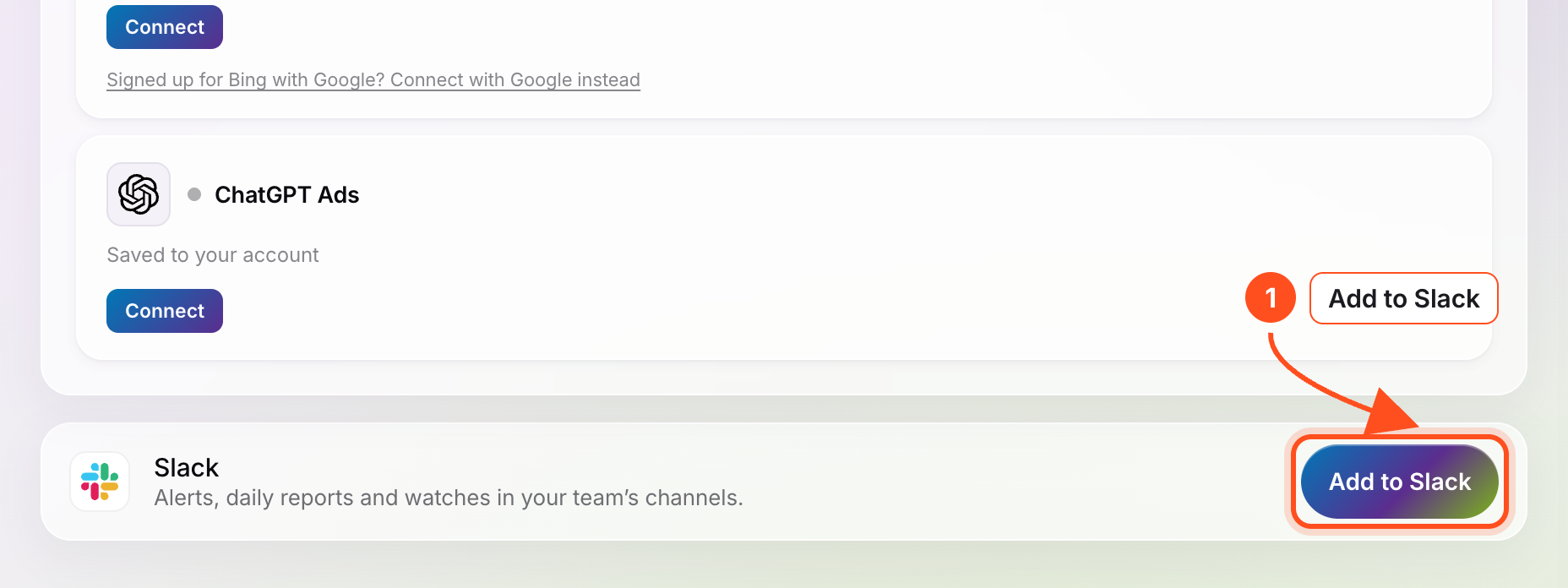
In PaidSync open Connect apps and press Add to Slack on the Slack row at the bottom. Slack asks you to allow it; press Allow.
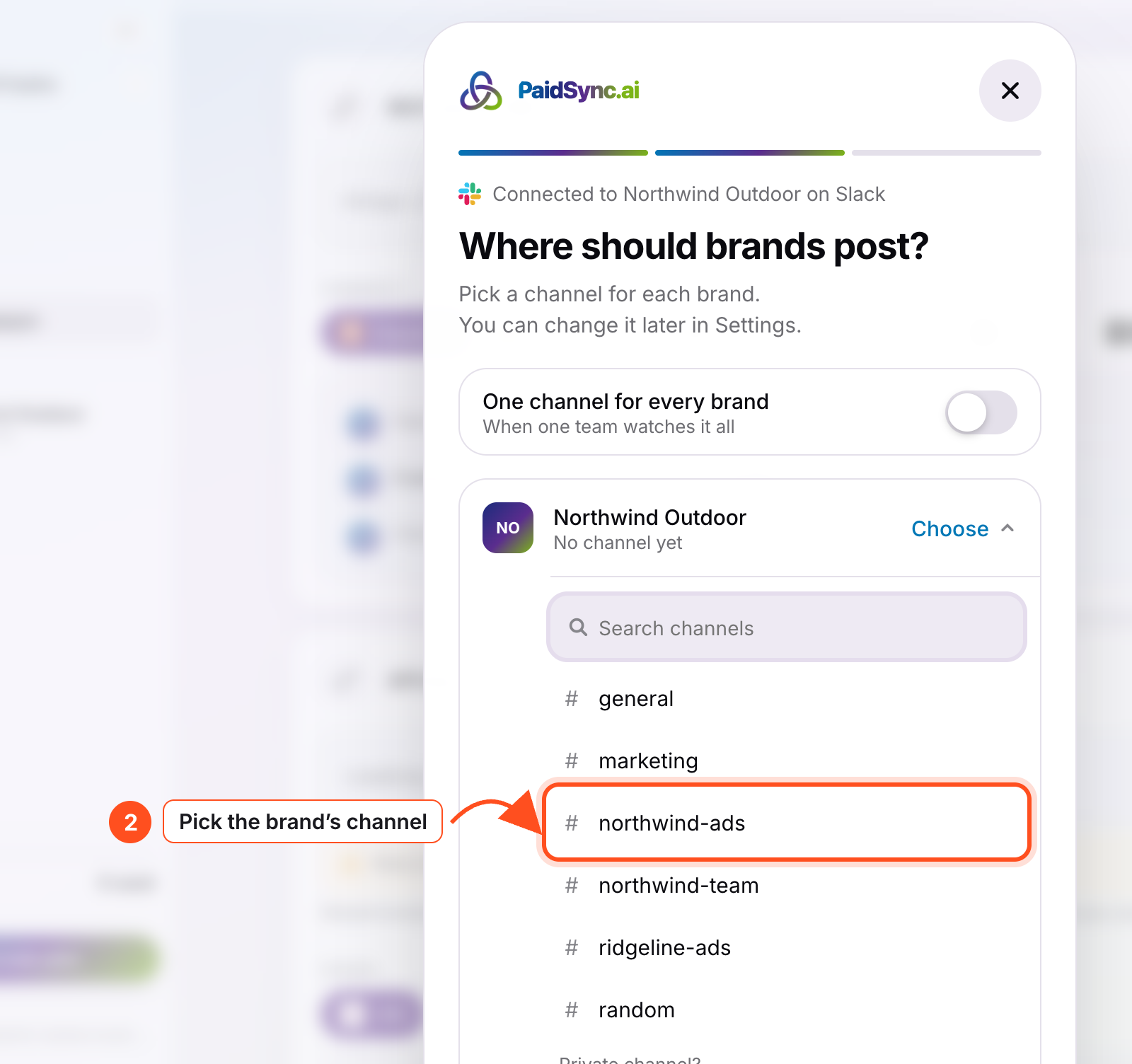
2Pick the channel for each brand
Choose one Slack channel per brand. PaidSync posts a hello card there so you know it is in.
3Ask by mentioning @PaidSync
Mention @PaidSync in the channel with your question. It answers in a thread within seconds.
@PaidSync how did spend look yesterday?@PaidSync daily report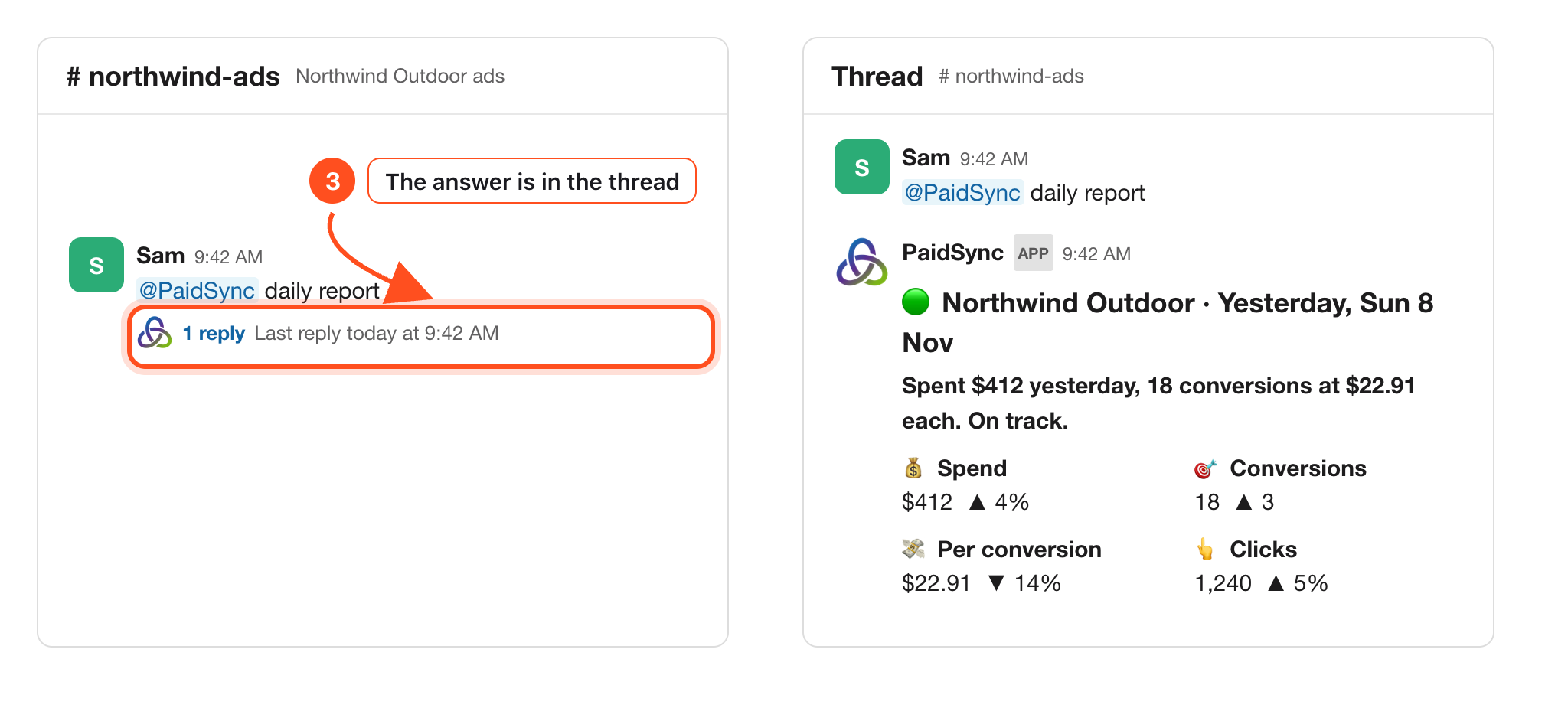
4Keep talking in the thread, or in a DM
Reply in PaidSync's own thread, or message PaidSync directly. A reply without a mention only reads; a change needs a mention.
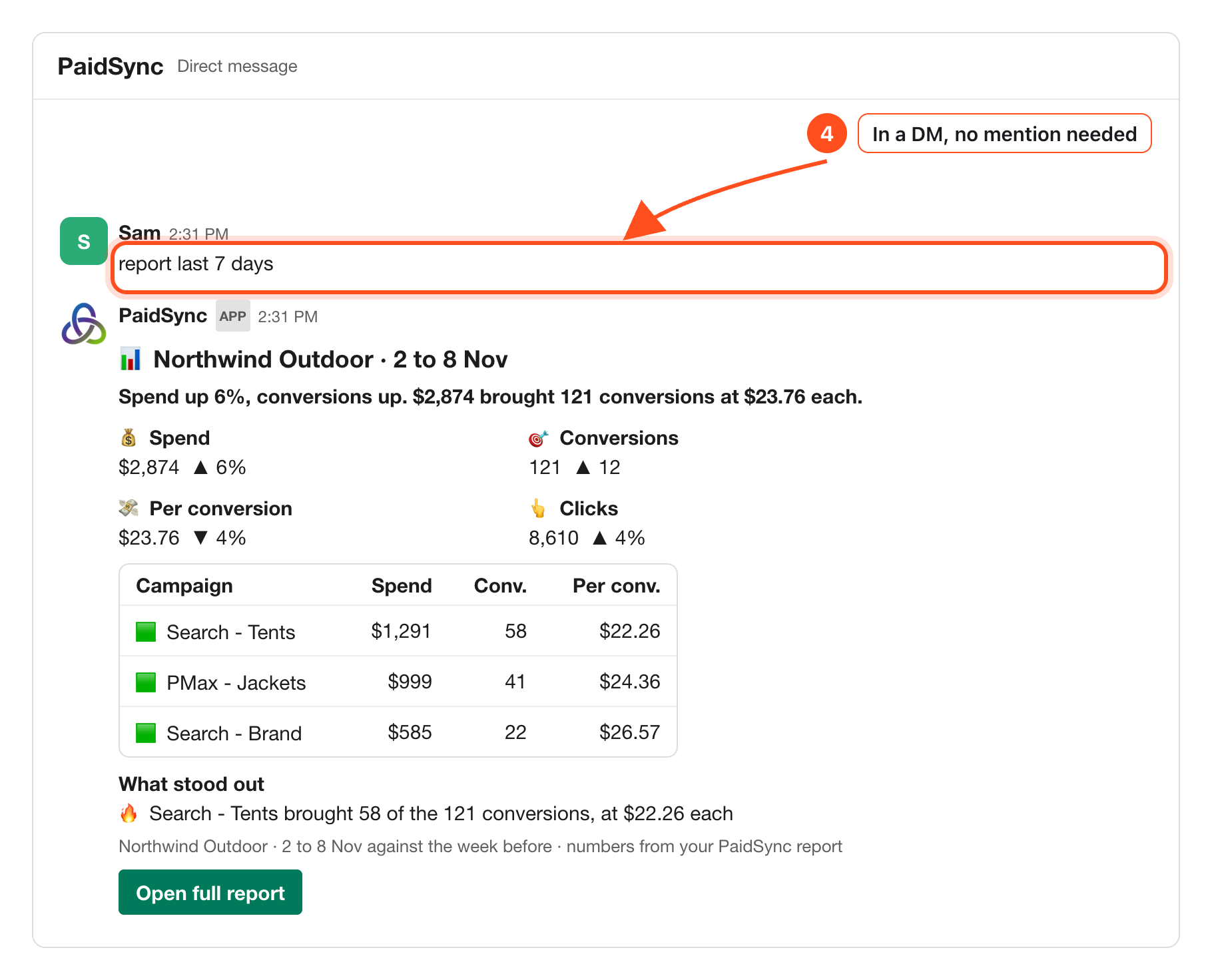
5Read the daily brand report
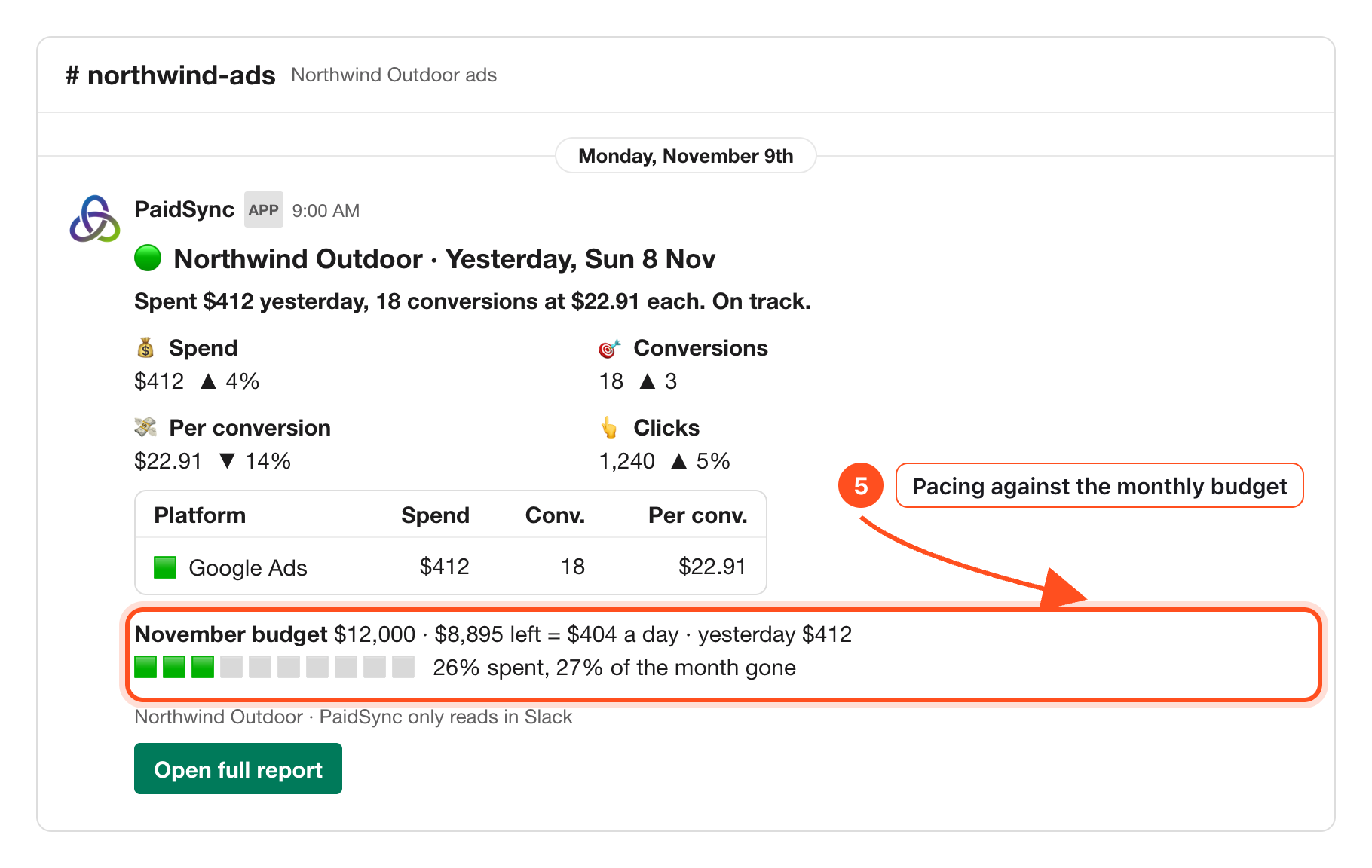
Once a day, at about 9:00 in the brand's time zone, the card posts in the brand's channel: spend, conversions and pacing against the monthly budget in the brand's Brief.
6Set a budget in Slack, with Undo
An editor can say a monthly budget, a target cost per conversion or a target ROAS. The reply shows old to new and who asked, with Undo.
correction november budget is 5000 usd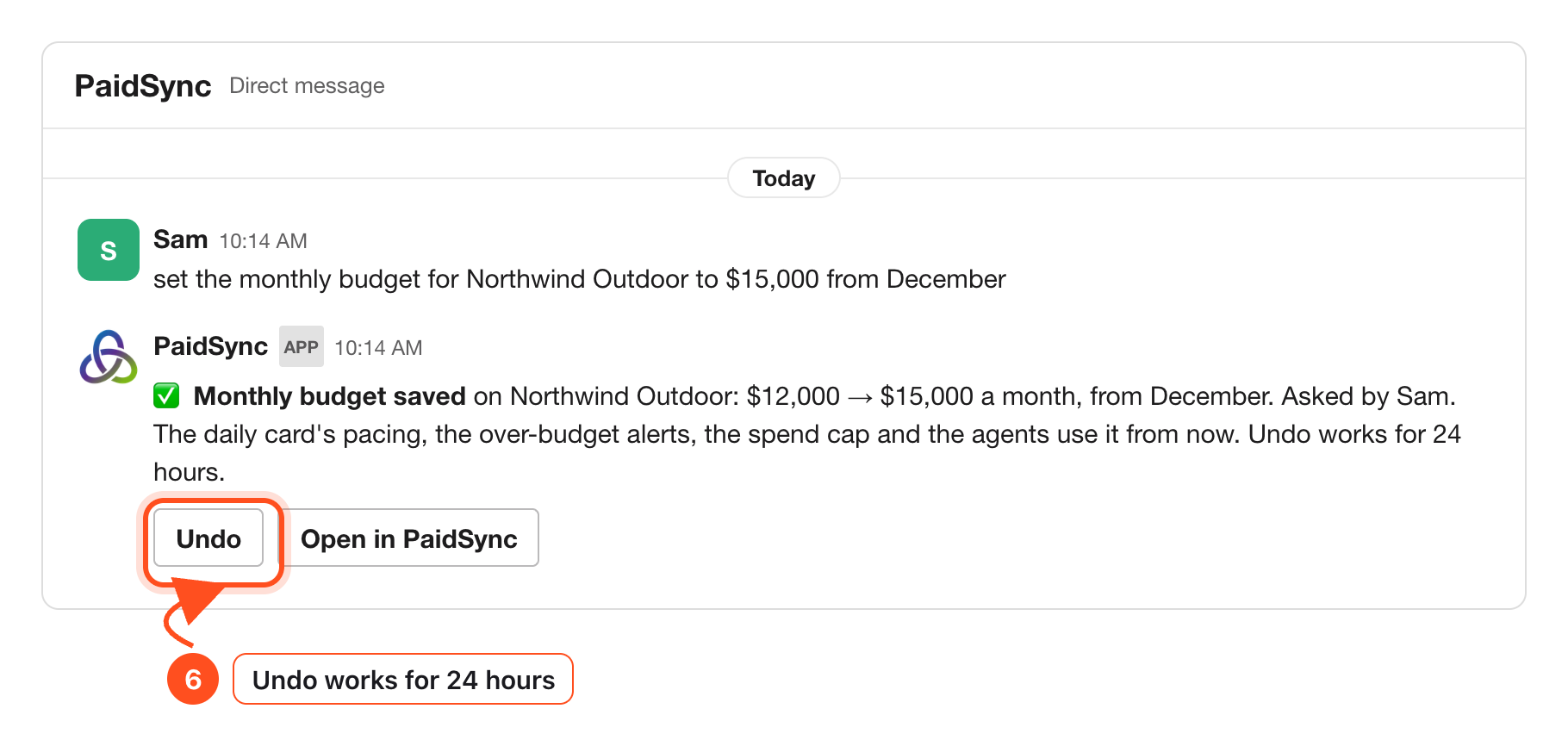
7Get alerts with a watch
Ask PaidSync to watch something at a time you pick. It checks every 15 minutes and posts in the channel when something matters.
@PaidSync watch spend at 7:30 pm Europe/Madrid daily@PaidSync list my watches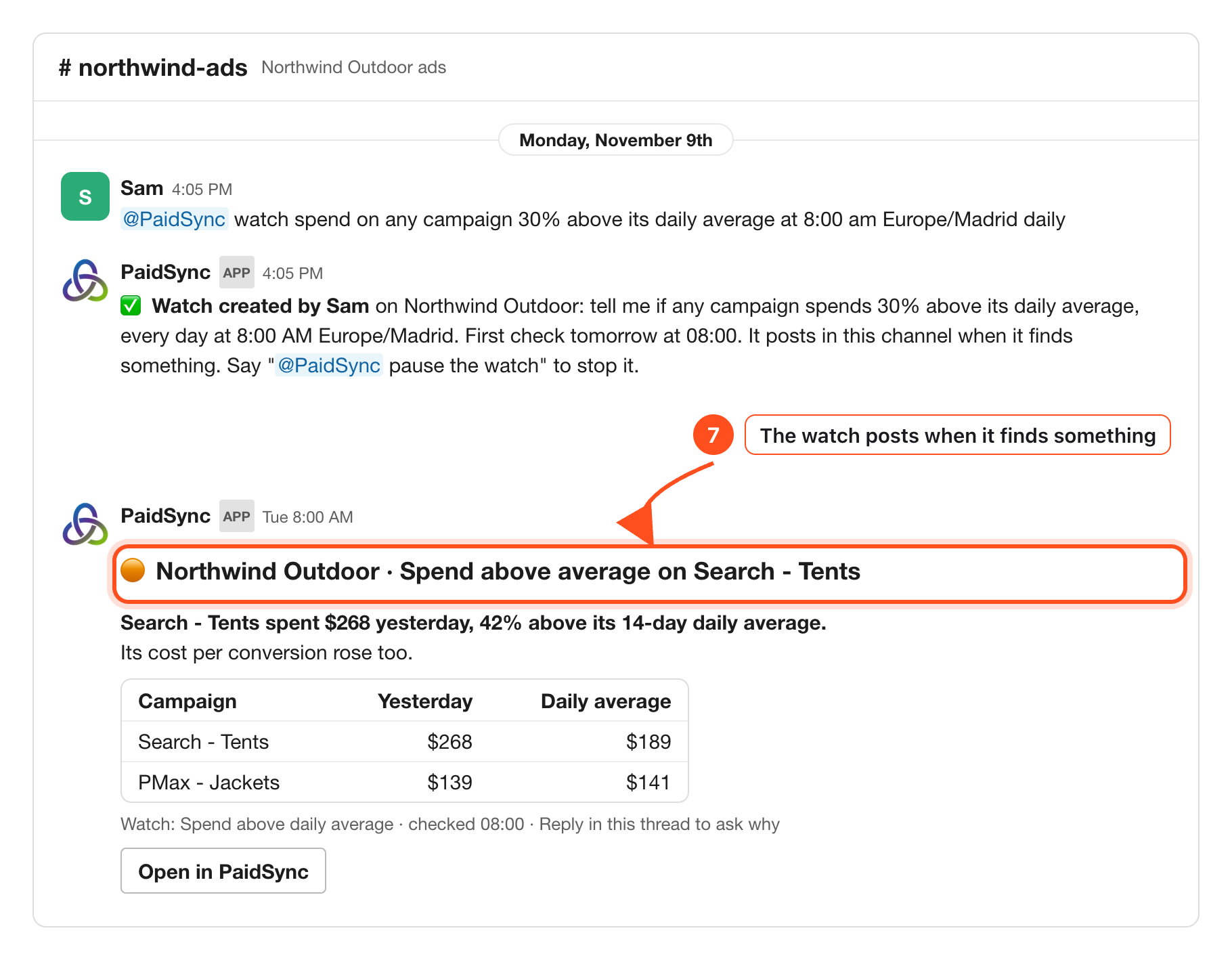
Messages to copy
@PaidSync how did spend look yesterday?
@PaidSync daily report
@PaidSync report last 7 days
@PaidSync watch spend at 7:30 pm Europe/Madrid daily
@PaidSync list my watches
correction november budget is 5000 usd
Who can change what
In an internal channel or a DM, a mention can prepare a change as a card, and nothing is applied until someone approves it. In a channel with guests from outside your company, PaidSync only reads.
Troubleshooting
PaidSync did not answer my message
Mention @PaidSync. A new message at the top of a channel without a mention is not read.
Slack said the install expired
The Allow screen is valid for 10 minutes. Press Add to Slack again and allow it straight away.
My alert posted a few minutes after the time I set
Watches are checked every 15 minutes, so a post lands at about the time you set, as a new message in the channel.
The daily report arrives at the wrong hour
It posts at about 9:00 in the brand's time zone. Without a time zone set it uses 9:00 UTC, so set the brand's zone.
The report paces against an old budget
The card reads the monthly budget in the brand's Brief. Change it there, or tell PaidSync the new budget in Slack (step 6).