

How to Connect LinkedIn Ads to Slack
Written by Ahmed Ashraf, founder of PaidSync.ai.
 Slack



What LinkedIn Ads in Slack gives you
How do I connect LinkedIn Ads to Slack? Connect LinkedIn Ads in PaidSync, then open Connect apps, press Add to Slack and pick a channel for the brand. Every morning the brand's report posts there with LinkedIn in it, and anyone in the channel can ask @PaidSync a question.
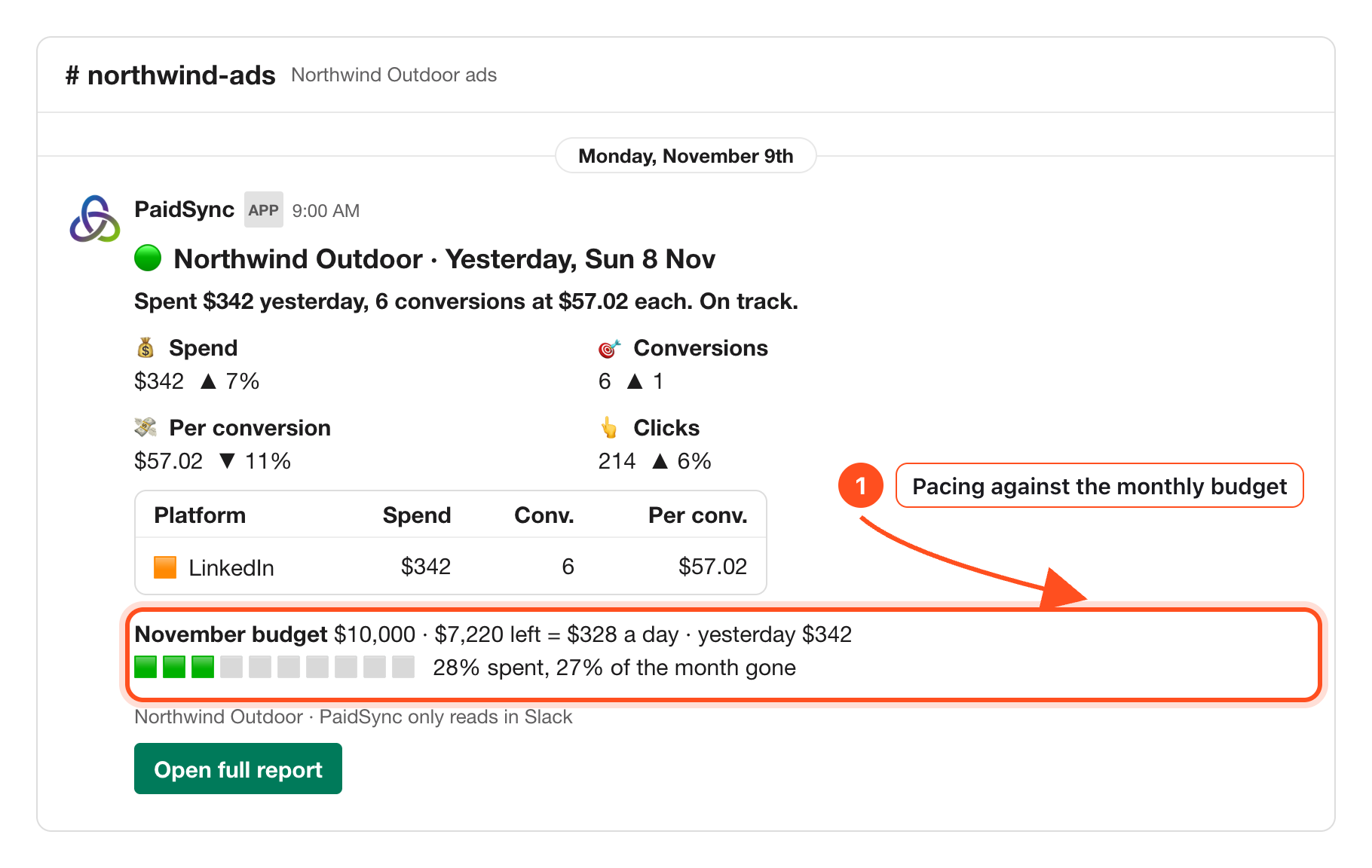
1A daily report in the channel, with LinkedIn in it
At about 9:00 in the brand's time zone: spend, conversions and pacing against the monthly budget, with LinkedIn in the platform table next to any other platform the brand connects. From step 5 of the Slack guide.
2Ask questions in plain words
Mention @PaidSync and the answer comes back in a thread. From step 3 of the guide.
@PaidSync daily report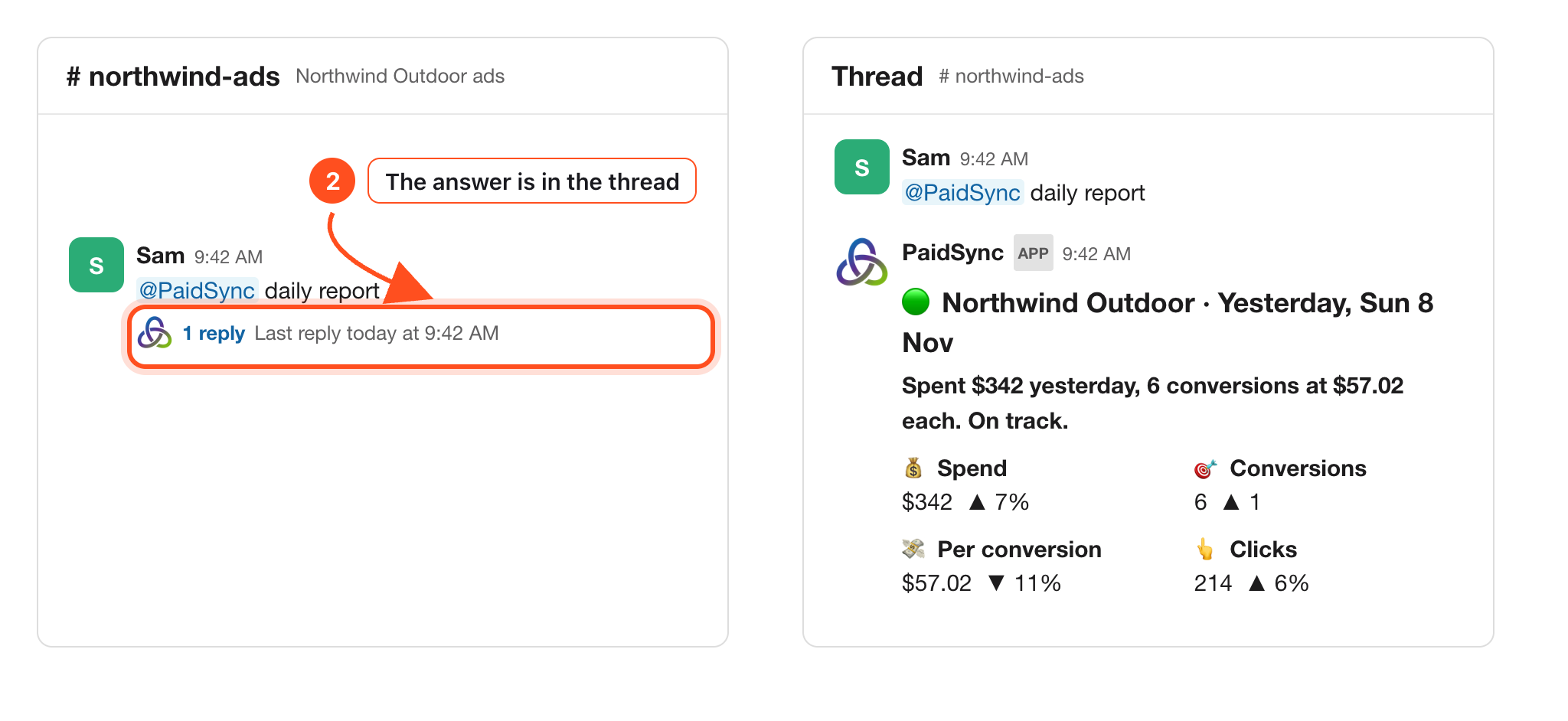
3Alerts when something matters
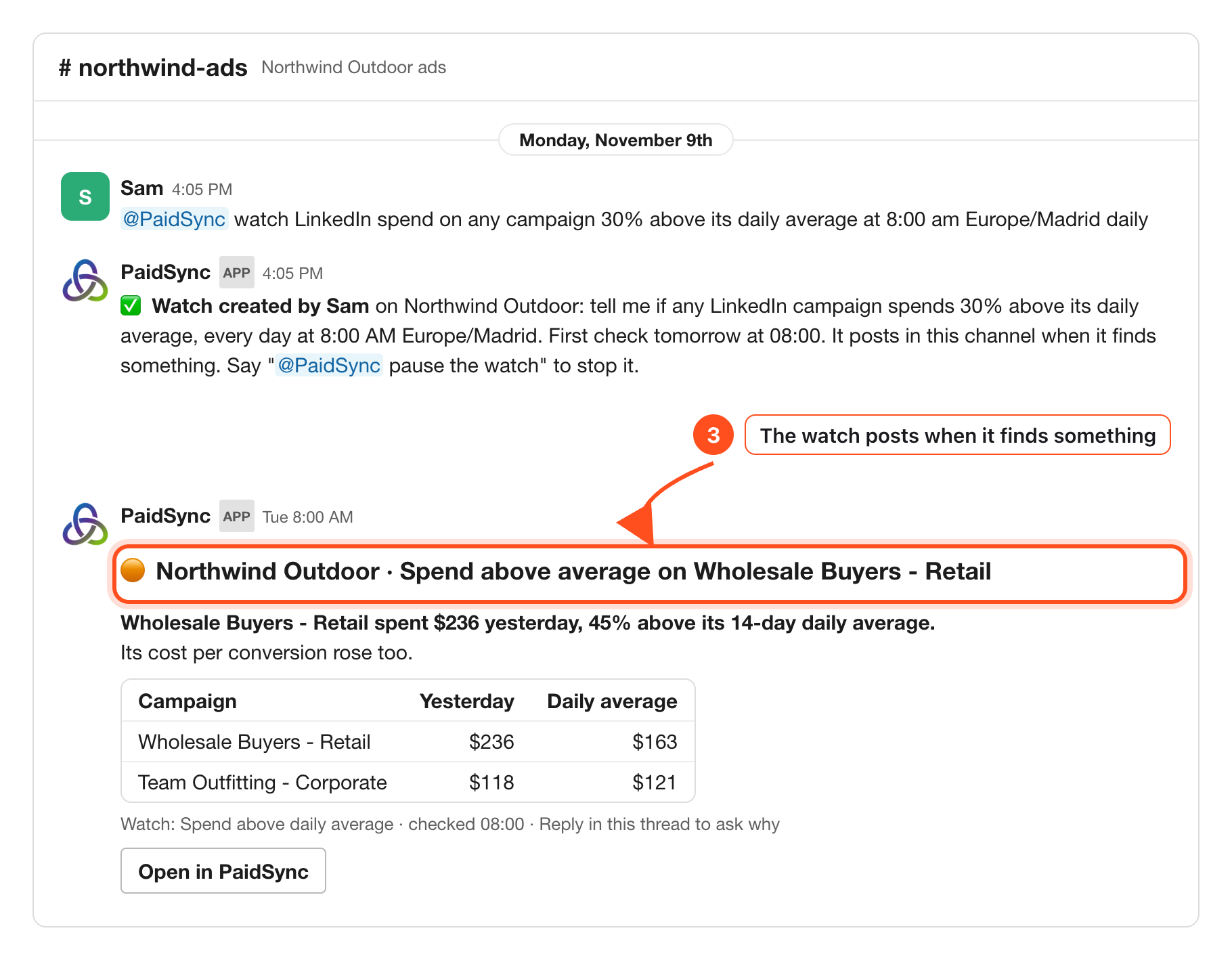
Set a watch on LinkedIn at a time you pick; PaidSync checks every 15 minutes and posts in the channel. From step 7 of the guide.
4Budgets said in Slack, with Undo
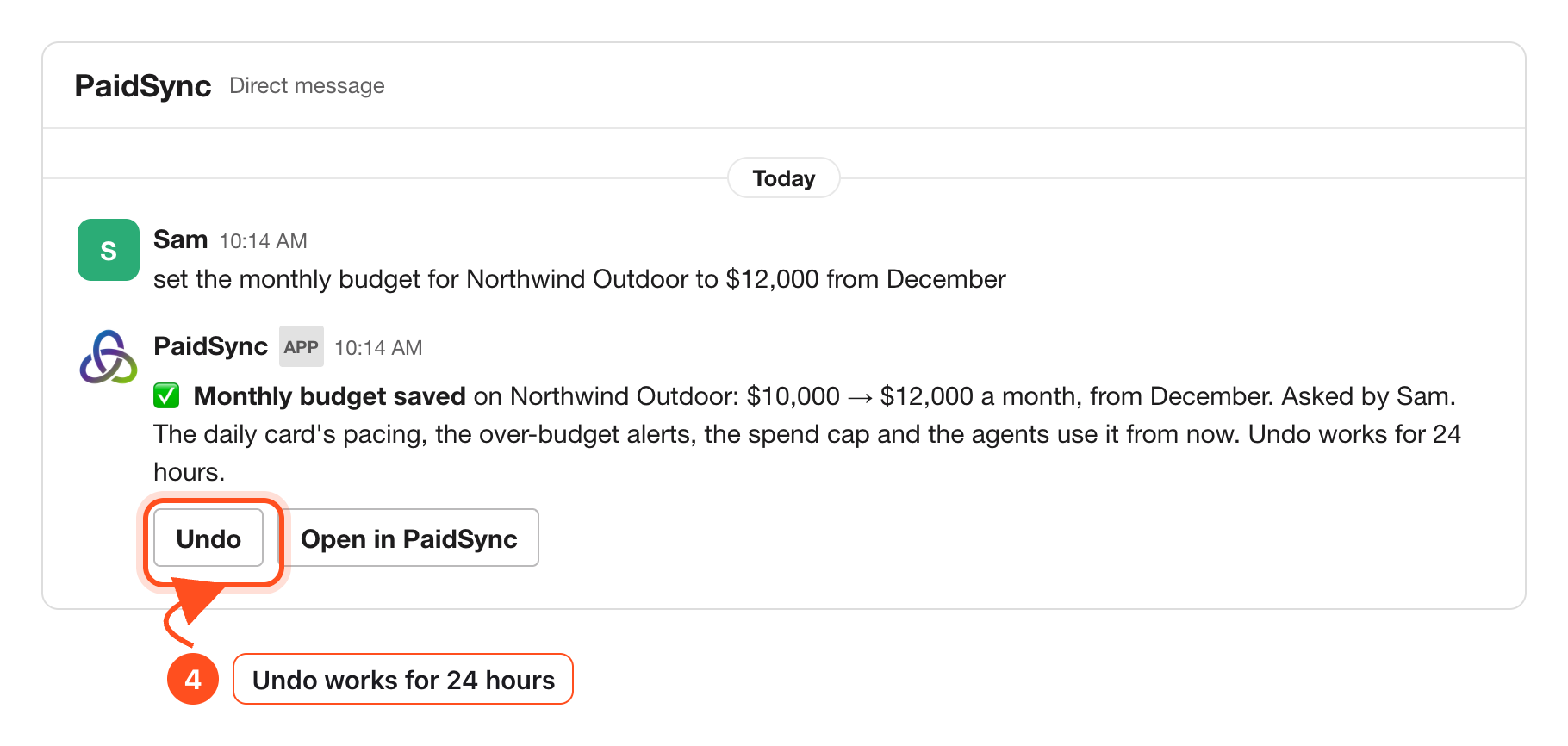
Say the brand's monthly budget, a target cost per conversion or a target ROAS. The reply shows old to new, with Undo. From step 6 of the guide.
How to connect LinkedIn Ads to Slack, four steps
The full walkthrough with pictures is the Slack guide. Also see PaidSync for LinkedIn Ads and Google Ads to Slack.
- Create a PaidSync account and connect LinkedIn Ads on LinkedIn's own sign-in screen.
- In PaidSync open Connect apps and press Add to Slack on the Slack row, then Allow in Slack.
- Pick the channel for the brand. A hello card posts there.
- Mention @PaidSync in the channel with your first question.
Messages to try in Slack
- "@PaidSync daily report"
- "@PaidSync report last 7 days"
- "@PaidSync how did LinkedIn spend look yesterday?"
- "@PaidSync watch LinkedIn spend on any campaign 30% above its daily average at 8:00 am Europe/Madrid daily"
- "@PaidSync list my watches"
- "correction november budget is 5000 usd"