

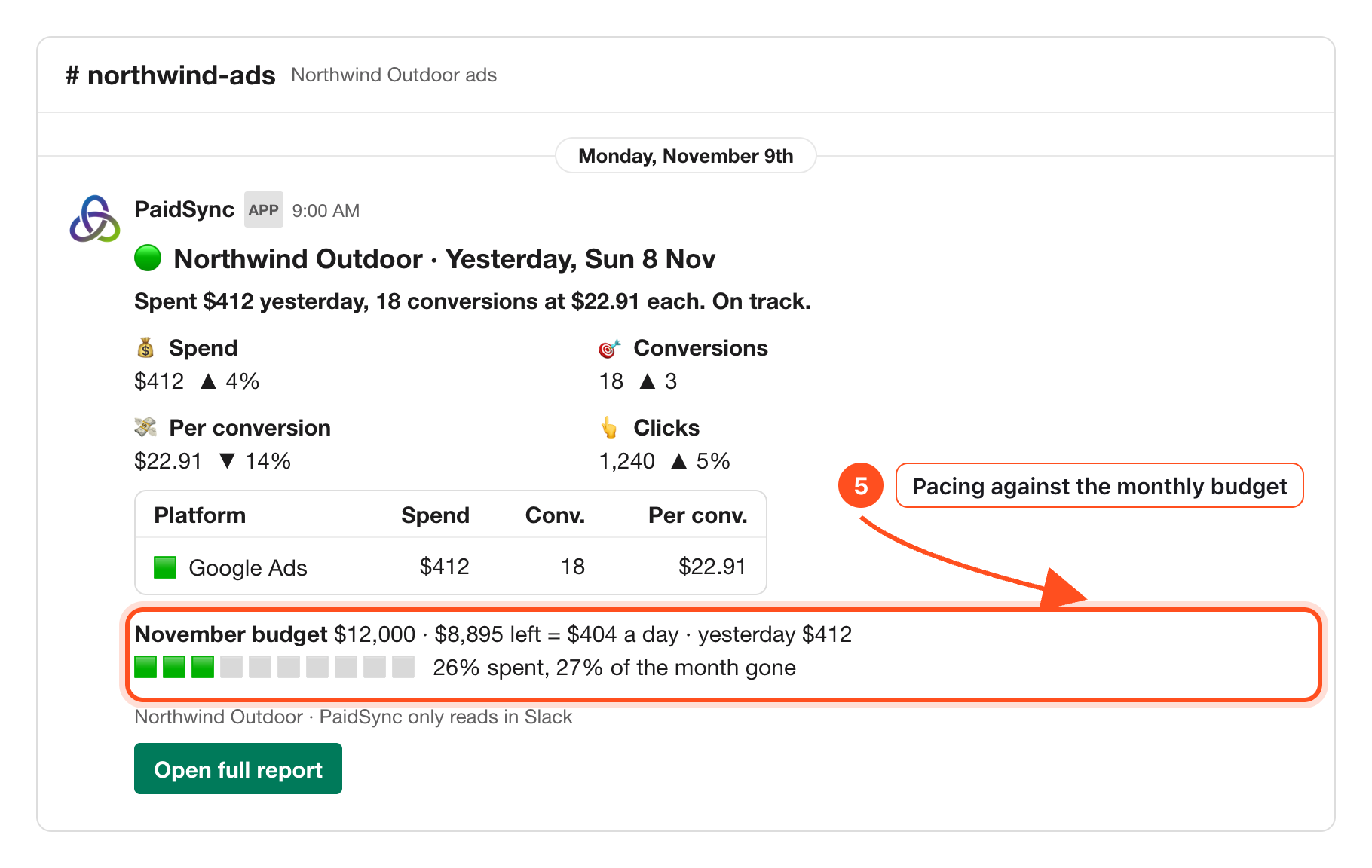
Connect your Google Ads, Meta, TikTok and LinkedIn accounts to a brand in PaidSync, press Add to Slack on the Connect apps page of your PaidSync dashboard, and pick one Slack channel for that brand. Every morning at about 9:00 in the brand's time zone, one card posts in that channel with spend, conversions, cost per conversion and pacing against the monthly budget, and a row for each connected platform. Your team asks questions by mentioning @PaidSync, and any change waits as a card until a person who can edit the brand taps Approve.
Disclosure: PaidSync.ai publishes this page. The pictures below come from our Slack guide and use a made-up brand with made-up numbers.
What lands in Slack
One brand, one channel. The daily card reads every ad account connected to that brand and puts each platform on its own row: Google Ads, Meta, TikTok and LinkedIn, and also Microsoft, Snapchat, Reddit, Pinterest and X when you have them connected.
- The daily report. Spend, conversions, cost per conversion and clicks against the day before, one row per platform, and the month against the budget in the brand's Brief.
- Answers on demand. Ask about any platform in plain words and the answer arrives in a thread.
- Alerts. A watch you set posts in the channel when it finds something, and stays quiet when it does not.
- Changes with approval. A pause, an enable or a budget change waits as a card for a person to approve.
When a platform has not loaded yet, the card names it instead of showing a zero, so a missing day never reads as a day with no spend.
Set it up in four steps
- Connect your ad accounts to a brand. Each platform connects on its own sign-in screen. Connect as many as you run: the daily card covers all of them.
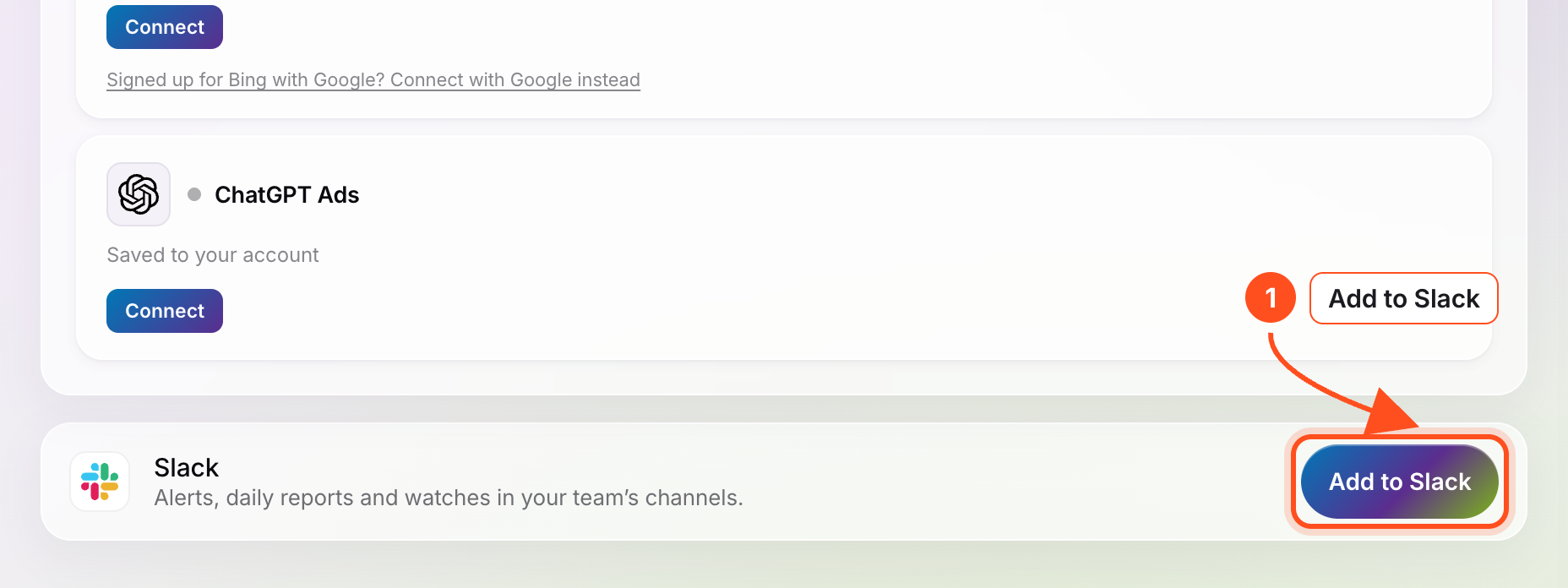
- Add PaidSync to Slack from your dashboard. In PaidSync open Connect apps and press Add to Slack on the Slack row at the bottom. Slack asks you to allow it; press Allow.
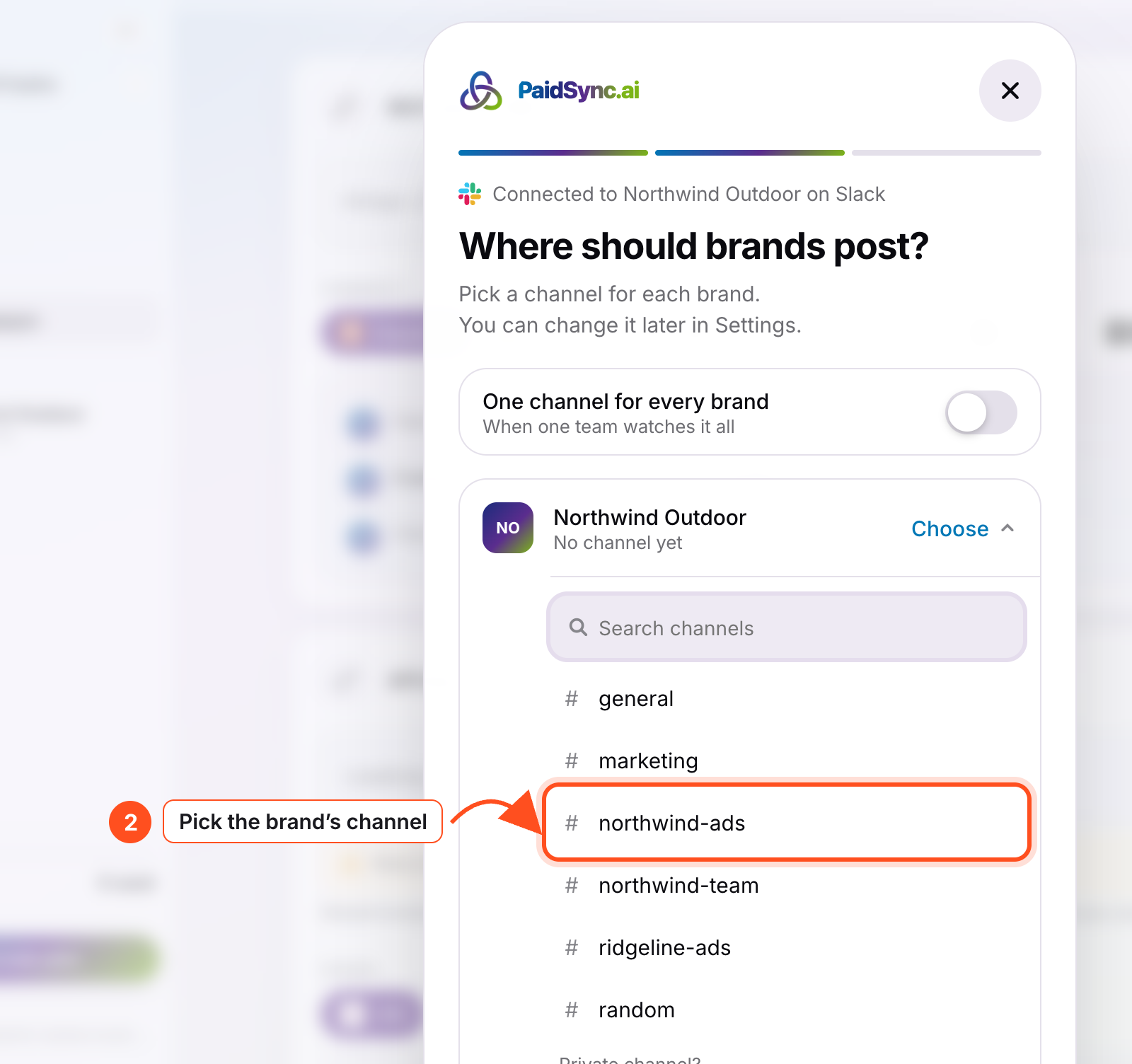
- Pick one channel per brand. Private or public both work. PaidSync posts a hello card there so you know it is in.
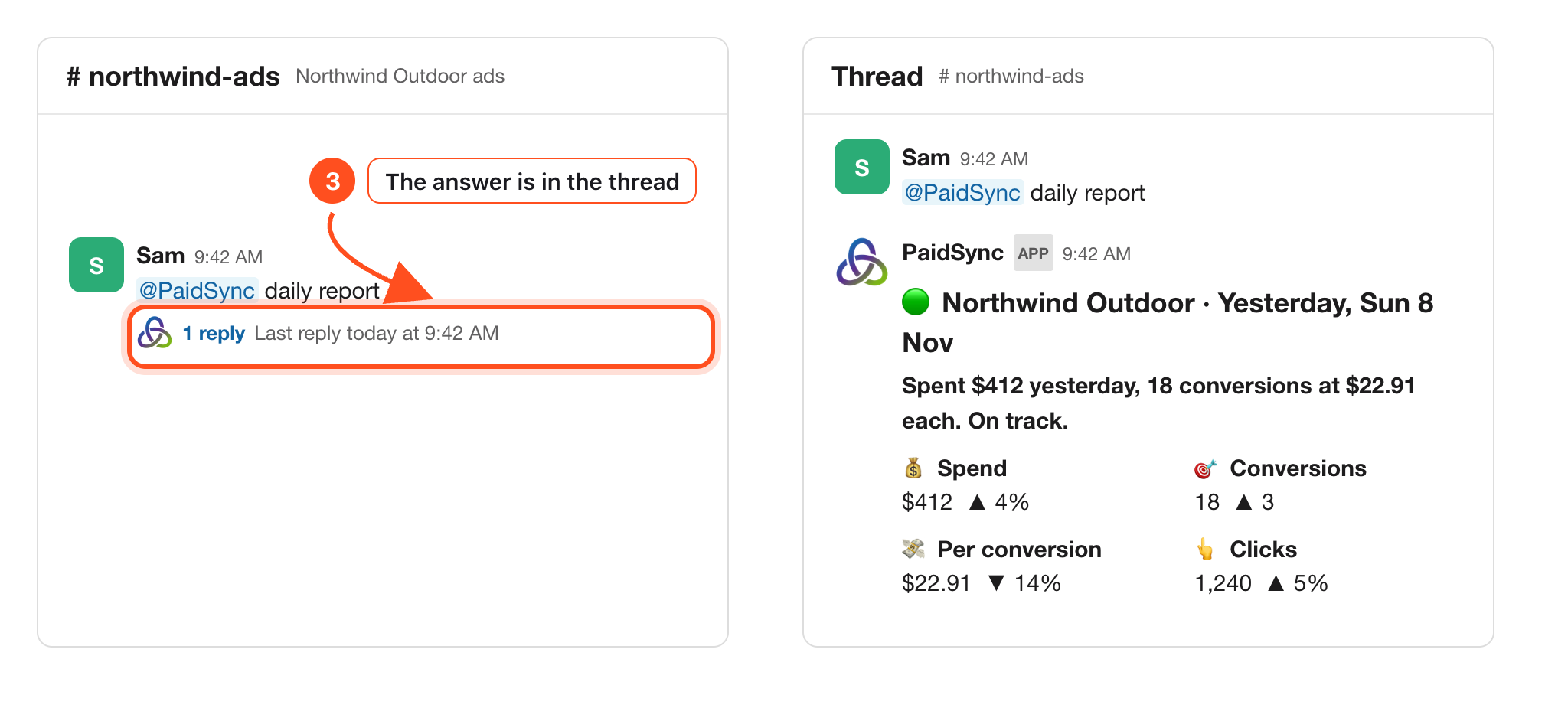
- Ask your first question. Mention @PaidSync in the channel and the answer comes back in a thread within seconds.
Ask about every platform in plain words
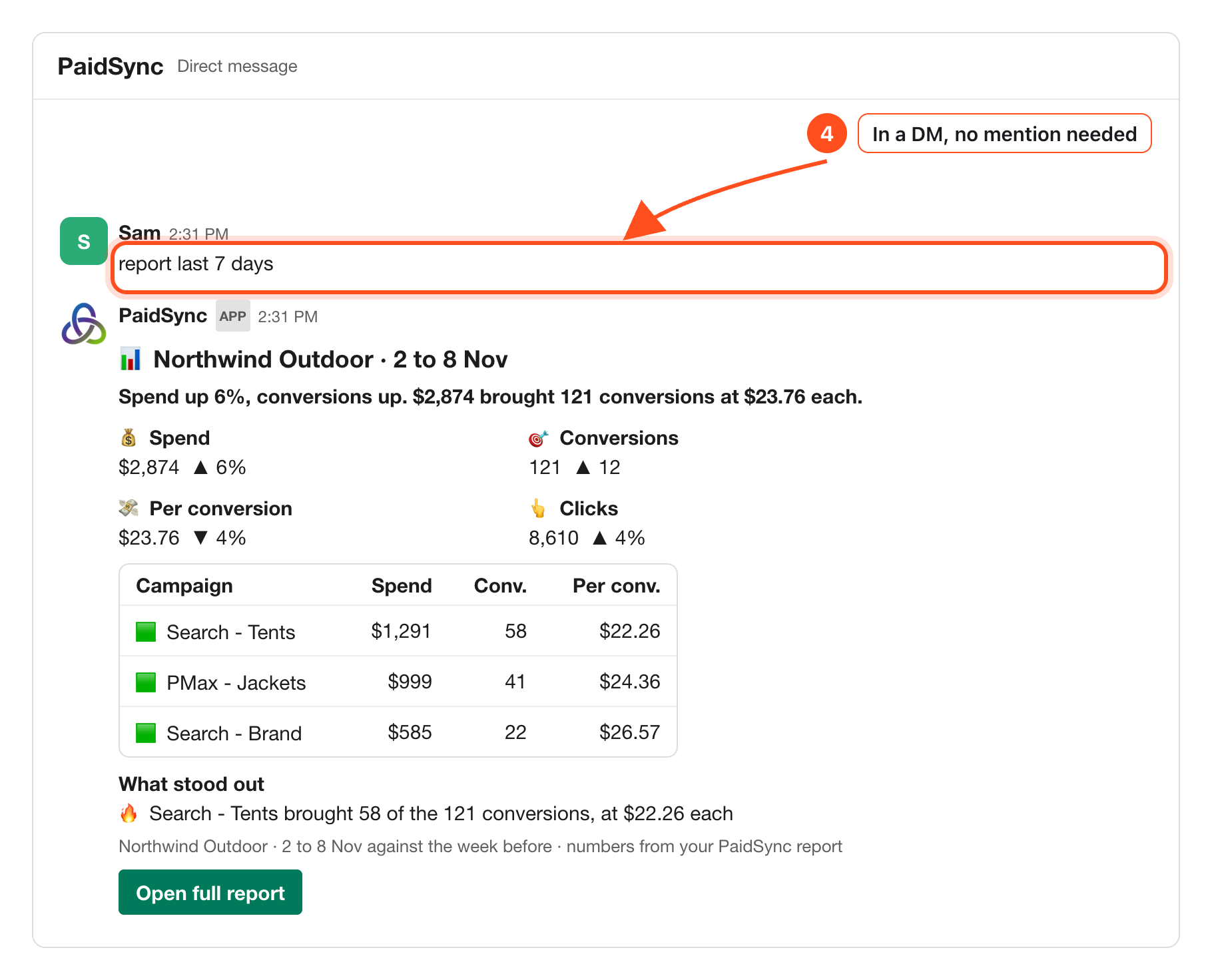
Mention @PaidSync with your question in the brand's channel. Keep talking in PaidSync's thread, or message PaidSync directly. A reply without a mention only reads; a change needs a mention.
@PaidSync how did spend look yesterday?@PaidSync daily report@PaidSync report last 7 days
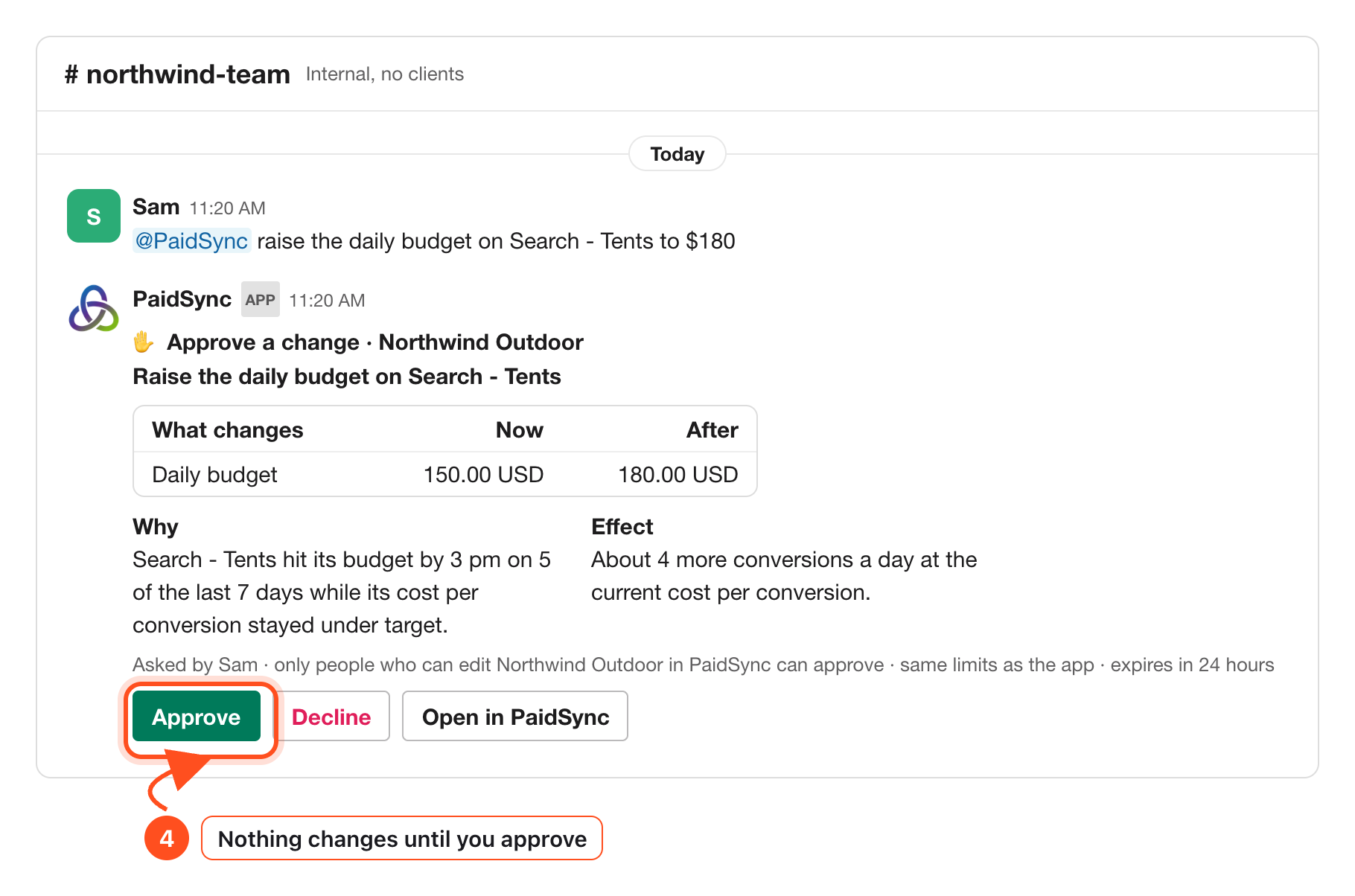
Changes wait for a person to approve
Ask for a pause, an enable or a new budget in an internal channel or a direct message, and PaidSync prepares the change as a card with what it is now and what it becomes. Nothing runs on its own. Only people who can edit the brand in PaidSync can press Approve, and a card expires after 24 hours.
In a channel shared with another company, or one with guests in it, PaidSync only reads.
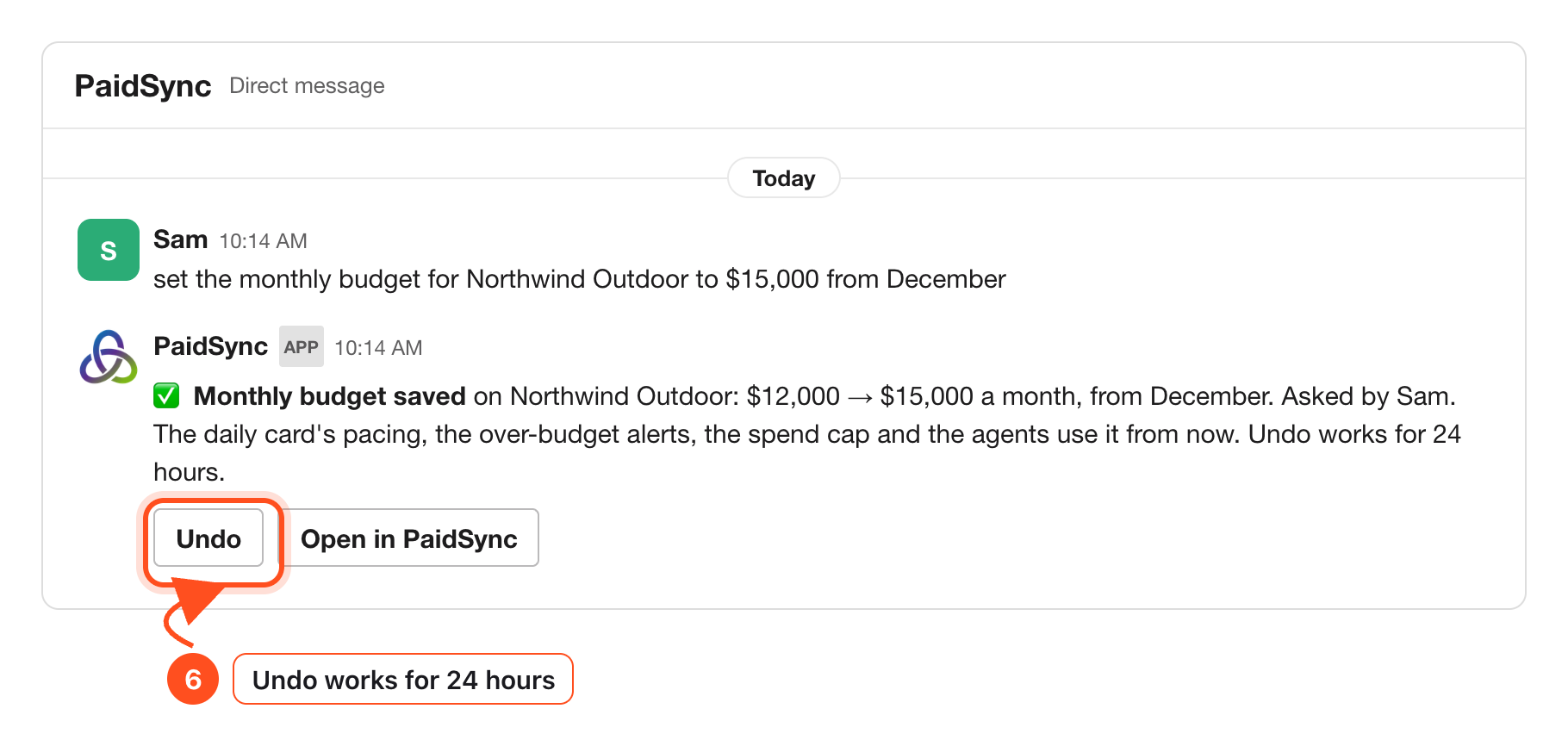
The monthly budget the card paces against can be set in Slack too. An editor says it in words, and the reply shows old to new and who asked, with Undo.
Alerts when something matters
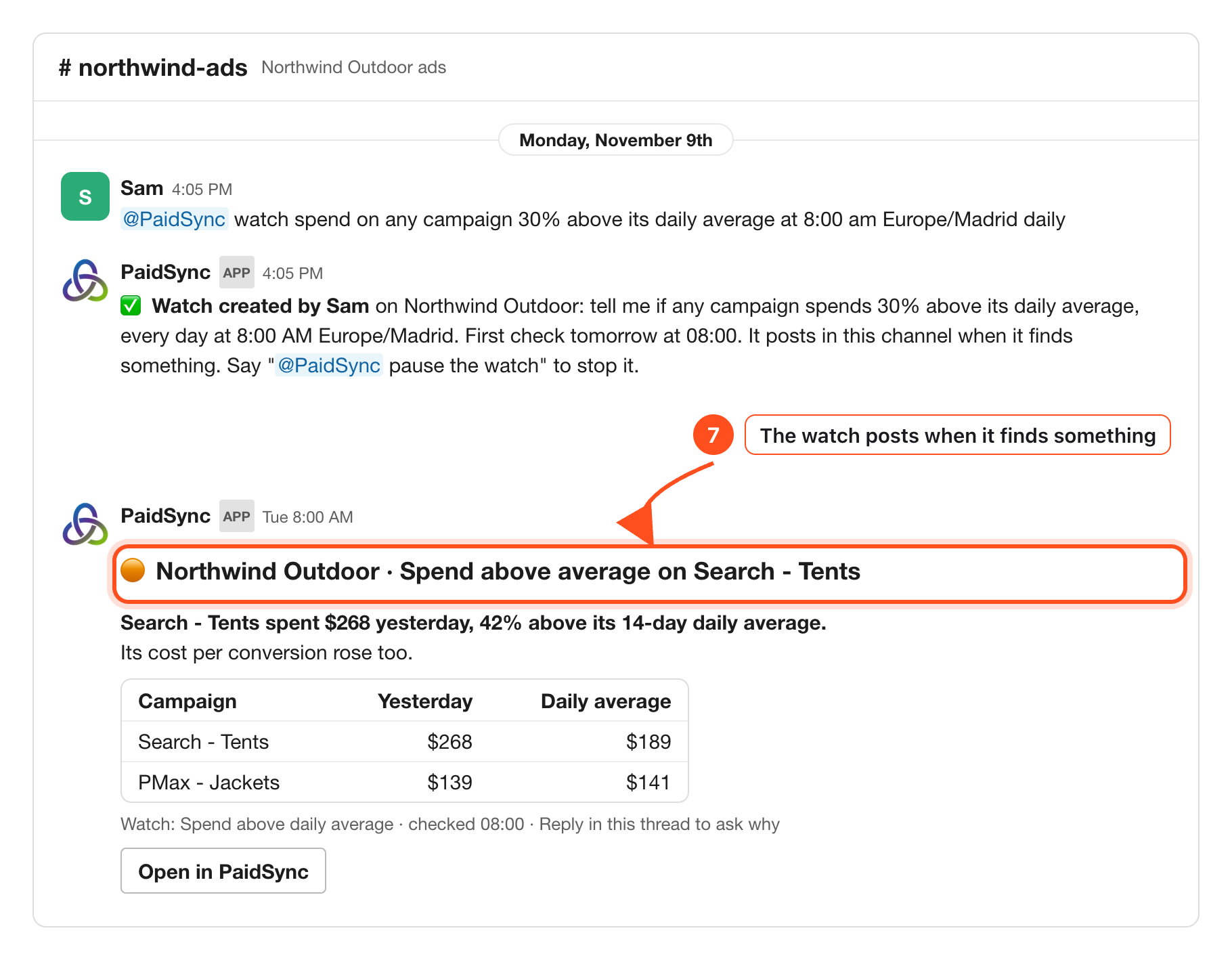
Ask PaidSync to watch something at a time you pick. It checks every 15 minutes, so a watch runs at about the time you set, and it posts a new message in the channel only when it finds something.
@PaidSync watch spend at 7:30 pm Europe/Madrid daily@PaidSync list my watches
Each platform, step by step
How to connect Google Ads to Slack Google Ads → How to connect Meta Ads to Slack Meta Ads → How to connect TikTok Ads to Slack TikTok Ads → How to connect LinkedIn Ads to Slack LinkedIn Ads →Each platform also has its own article on what to watch there.
Google Ads alerts in Slack, and how to act on them Read → How to read your Meta Ads daily report in Slack Read → TikTok Ads reporting in Slack for your team Read → LinkedIn Ads spend alerts in Slack, a guide for B2B teams Read →Frequently Asked Questions
Which ad platforms show up in the Slack report?
Every ad account connected to the brand: Google Ads, Meta, TikTok and LinkedIn, and also Microsoft, Snapchat, Reddit, Pinterest and X. Each platform gets its own row in the daily card.
How do I add PaidSync to Slack?
From your PaidSync dashboard: open Connect apps, press Add to Slack on the Slack row and allow it in Slack. Then pick one channel per brand. The Slack guide shows every screen.
When does the daily report post?
At about 9:00 in the brand's time zone. Without a time zone set it uses 9:00 UTC, so set the brand's zone.
Can PaidSync change my ads from Slack?
Only with approval. A pause, an enable or a budget change is prepared as a card, and nothing runs until a person who can edit the brand in PaidSync presses Approve. In a channel shared with another company or with guests, PaidSync only reads.